> ## Documentation Index
> Fetch the complete documentation index at: https://help.draftable.com/llms.txt
> Use this file to discover all available pages before exploring further.
# Creating new users
> Creating new user accounts within a API Self Hosted instance is a quick process carried out by a administrator account of the Self Hosted instance.
**This documentation is for API Self-Hosted Version 2 (Legacy)**
Version 2 is a legacy deployment model. All new customers **must** use Version 3, which features a modern multi-container architecture with improved security and performance.
👉 [Get started with API Self-Hosted v3](/hc/en-us/articles/51133475373465-API-Self-Hosted-v3-Quick-Start-Guide)
## Creating new users steps
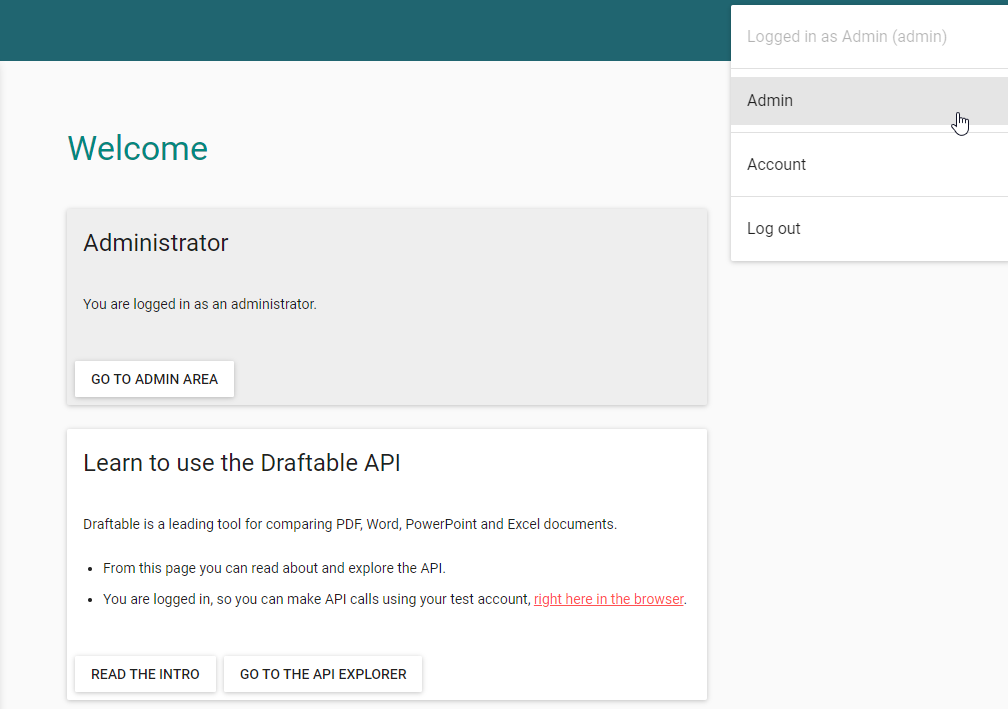
The administrator will need to navigate to the **admin** page of their Self Hosted instance.
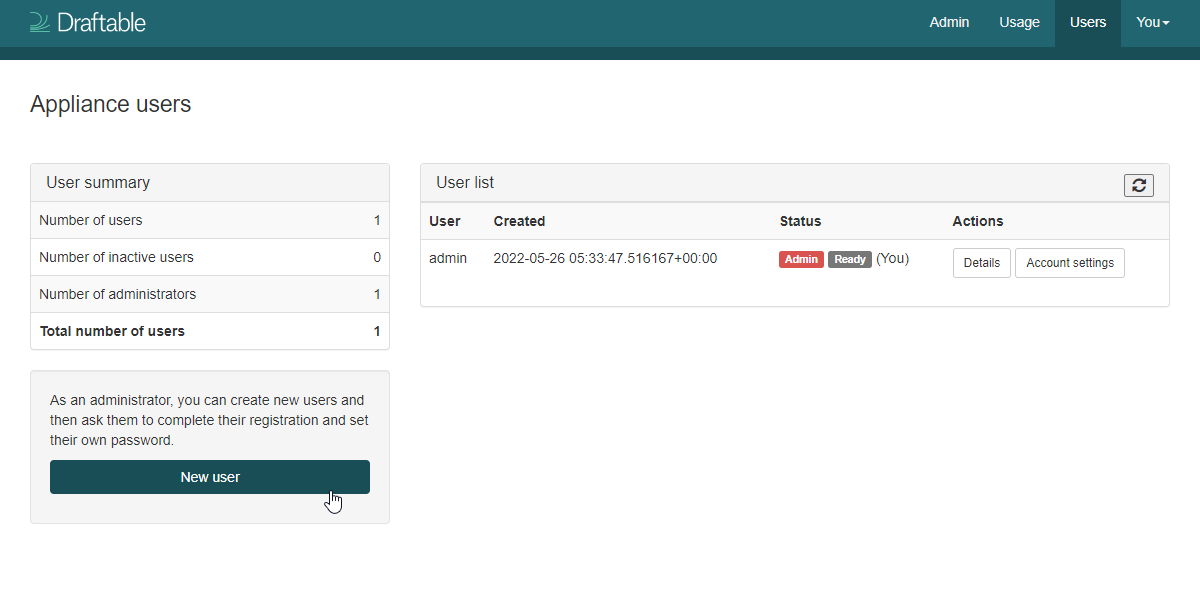
 Once on this screen you can click **new user**, to generate a new user account.
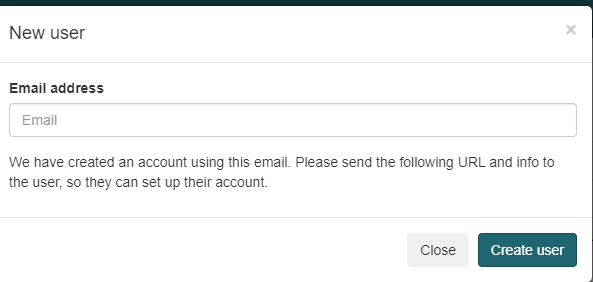
 Now enter the email address for the new user you want to create and click on **create user**.
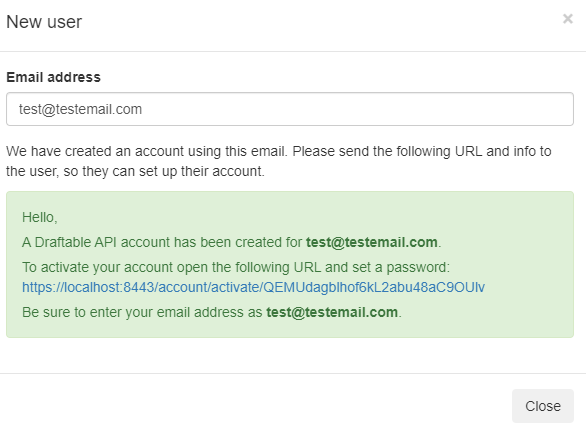
 You will be presented with a link that can be used to fully activate the account. If you wish to activate this immediately click the link now.
 Enter the same email address as provided prior, then enter a password for that user. Remember the password will need to include a capitalised letter, a symbol and a number.
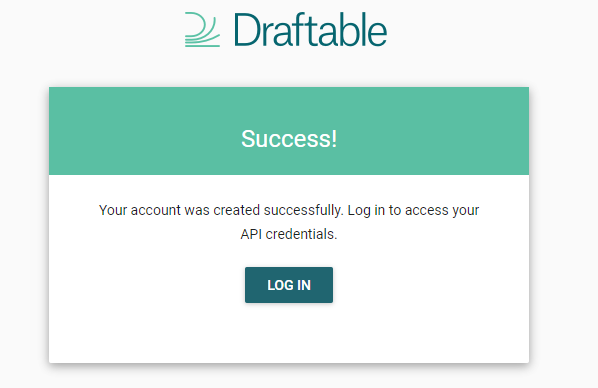
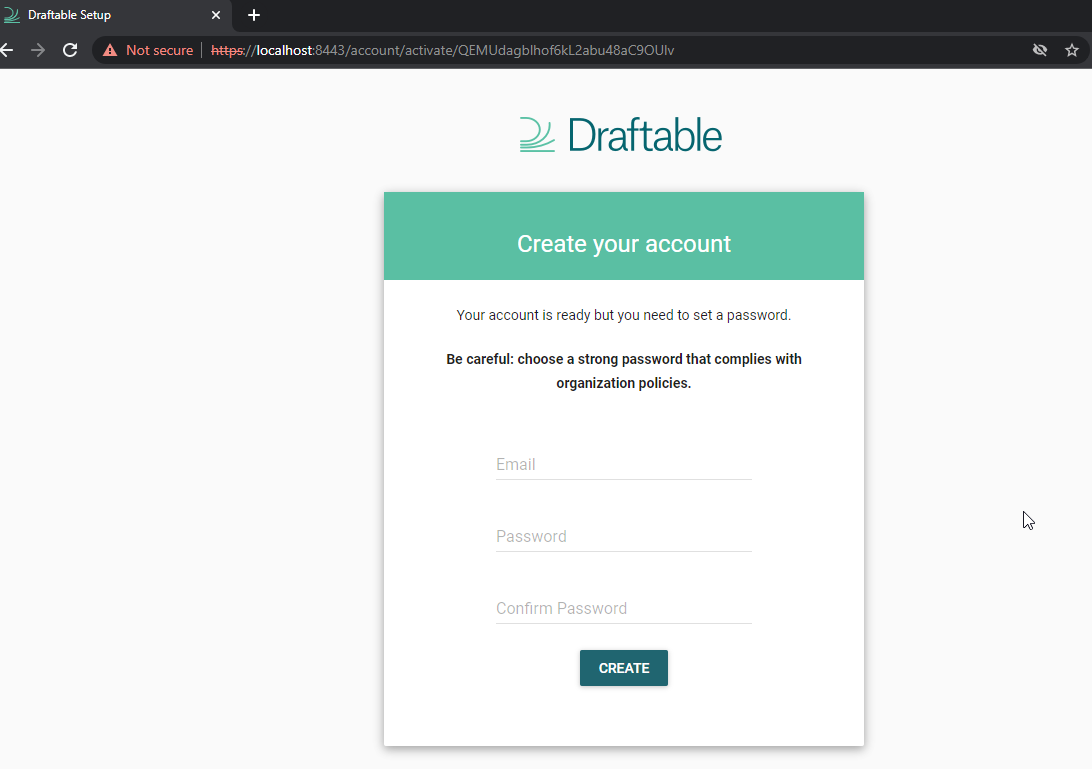 Your new user account has been created, and they can now log into your Draftable Self Hosted instance.
 If you wish to know how to configure and manage your users account settings, see this help article [here.](/hc/en-us/articles/7132242748313-Managing-user-settings)