> ## Documentation Index
> Fetch the complete documentation index at: https://help.draftable.com/llms.txt
> Use this file to discover all available pages before exploring further.
# Generating a new API key
> How to reset your Draftable API auth token from your account, what it affects, and what to prepare before you do it.
If your Draftable API auth token has been exposed, or you simply rotate credentials on a schedule, you can generate a new one yourself from your account. You do not need to contact support.
Resetting a token takes effect **immediately** and cannot be undone. The old token stops working the moment you reset it. Read the section below on what breaks before you press the button.
## Before you start
Resetting is instant and irreversible, so prepare first.
Every application, script, scheduled job and environment that authenticates with the token will stop working until updated. Make a list.
The gap between resetting and deploying the new token is downtime for your integration. Have the configuration change staged and ready to ship.
Your auth token is the secret used to sign viewer URLs. Resetting it **invalidates every signed URL you have already issued**, including links already sent to users that they have not yet opened.
Unless you are responding to an exposed token, reset during a quiet period rather than mid-business-day.
If you are responding to a **confirmed exposure**, reset immediately anyway. A short outage is far preferable to leaving a live credential in circulation.
## Resetting the token
Go to [api.draftable.com/account/credentials](https://api.draftable.com/account/credentials).
Select **API Credentials** in the left-hand menu. You will see your **Account ID** and **Auth Token** sections, each listing a **Testing** and a **Live** entry.
The testing and live tokens are reset **independently**. Check carefully which row you are about to reset, because resetting the live token affects production.
Select **RESET** on the row you want. A new token is generated and displayed immediately, replacing the old one.
Update every place the old token was used, then confirm your integration is working again.
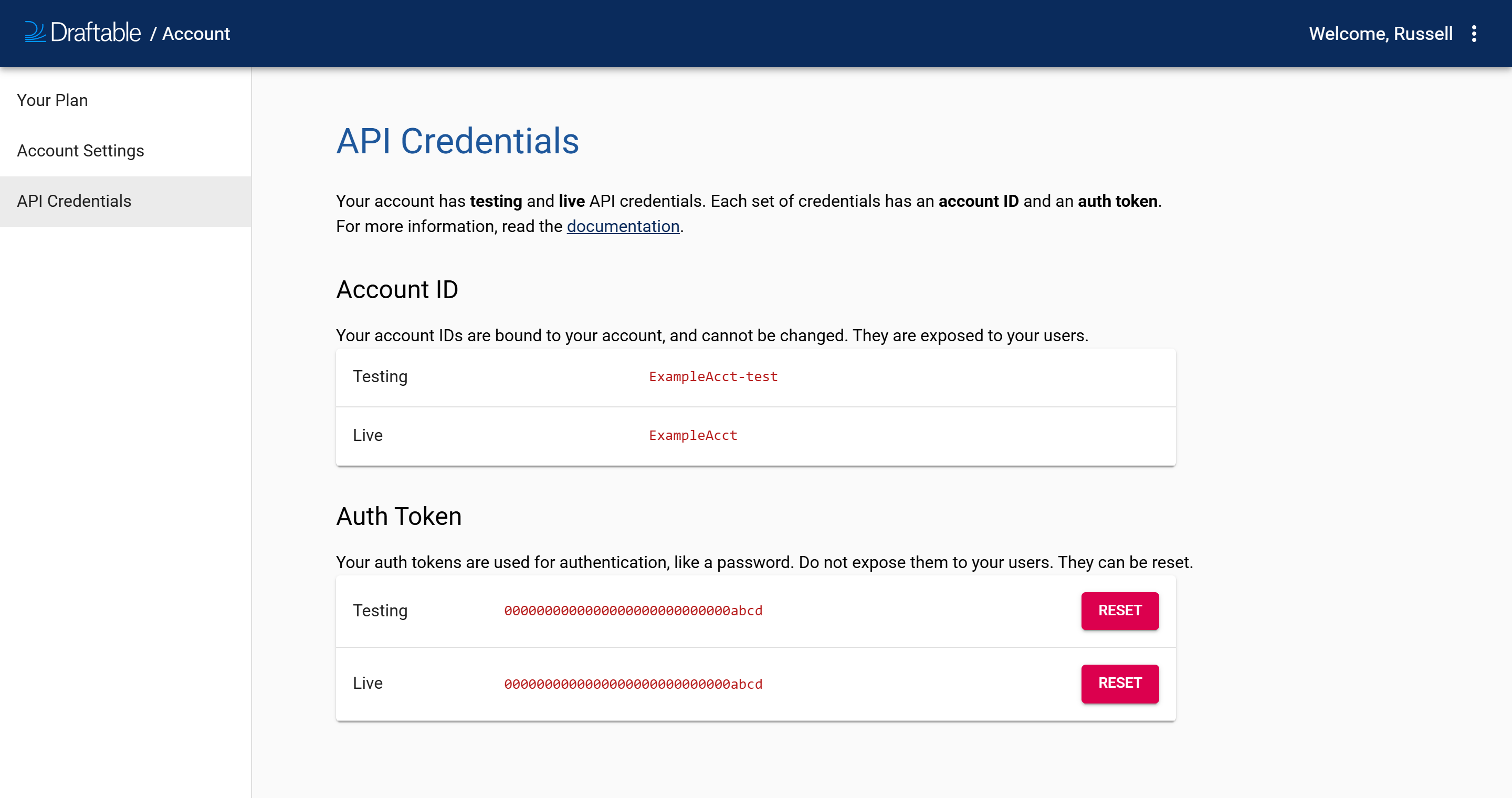 The values in the screenshot above are placeholders. Your own account ID and auth token will be different.
## What can and cannot be changed
| | Can it be reset? | Why |
| :------------- | :--------------: | :-------------------------------------------------------------------------------- |
| **Auth token** | Yes | It is a secret, equivalent to a password. It can and should be rotated if exposed |
| **Account ID** | No | It is bound to your account and is deliberately public, appearing in viewer URLs |
Because the account ID is exposed to your users by design, seeing it is not a security problem. Seeing your **auth token** is. If a user, a log file, a support ticket or a screenshot has ever shown your auth token, reset it.
## What resetting affects
| Affected | Detail |
| :--------------------------- | :---------------------------------------------------------------------------------------- |
| **API requests** | Any request using the old token fails with 401 until updated |
| **Signed viewer URLs** | All previously issued signed URLs stop working, because the token is the signing key |
| **The other credential set** | Not affected. Testing and live are reset independently |
| **Your comparisons** | Not affected. Existing comparisons are untouched and remain accessible with the new token |
| **Your account ID** | Not affected. It never changes |
If you have emailed signed viewer URLs that recipients may not have opened yet, generate and resend fresh links after resetting. There is no way to keep old signatures valid.
## Good practice
* **Rotate the live token on a schedule**, not only after an incident
* **Store tokens in a secrets manager or environment variables**, never in source control
* **Use the testing token for development**, so the live token exists in fewer places and is exposed less often
* **Generate signed viewer URLs on demand** with short expiry windows, so a reset invalidates fewer links in flight
* **Enable multi-factor authentication** on the account itself, since anyone who can sign in can read and reset your credentials
## Related articles
The values in the screenshot above are placeholders. Your own account ID and auth token will be different.
## What can and cannot be changed
| | Can it be reset? | Why |
| :------------- | :--------------: | :-------------------------------------------------------------------------------- |
| **Auth token** | Yes | It is a secret, equivalent to a password. It can and should be rotated if exposed |
| **Account ID** | No | It is bound to your account and is deliberately public, appearing in viewer URLs |
Because the account ID is exposed to your users by design, seeing it is not a security problem. Seeing your **auth token** is. If a user, a log file, a support ticket or a screenshot has ever shown your auth token, reset it.
## What resetting affects
| Affected | Detail |
| :--------------------------- | :---------------------------------------------------------------------------------------- |
| **API requests** | Any request using the old token fails with 401 until updated |
| **Signed viewer URLs** | All previously issued signed URLs stop working, because the token is the signing key |
| **The other credential set** | Not affected. Testing and live are reset independently |
| **Your comparisons** | Not affected. Existing comparisons are untouched and remain accessible with the new token |
| **Your account ID** | Not affected. It never changes |
If you have emailed signed viewer URLs that recipients may not have opened yet, generate and resend fresh links after resetting. There is no way to keep old signatures valid.
## Good practice
* **Rotate the live token on a schedule**, not only after an incident
* **Store tokens in a secrets manager or environment variables**, never in source control
* **Use the testing token for development**, so the live token exists in fewer places and is exposed less often
* **Generate signed viewer URLs on demand** with short expiry windows, so a reset invalidates fewer links in flight
* **Enable multi-factor authentication** on the account itself, since anyone who can sign in can read and reset your credentials
## Related articles