

What you can do with it
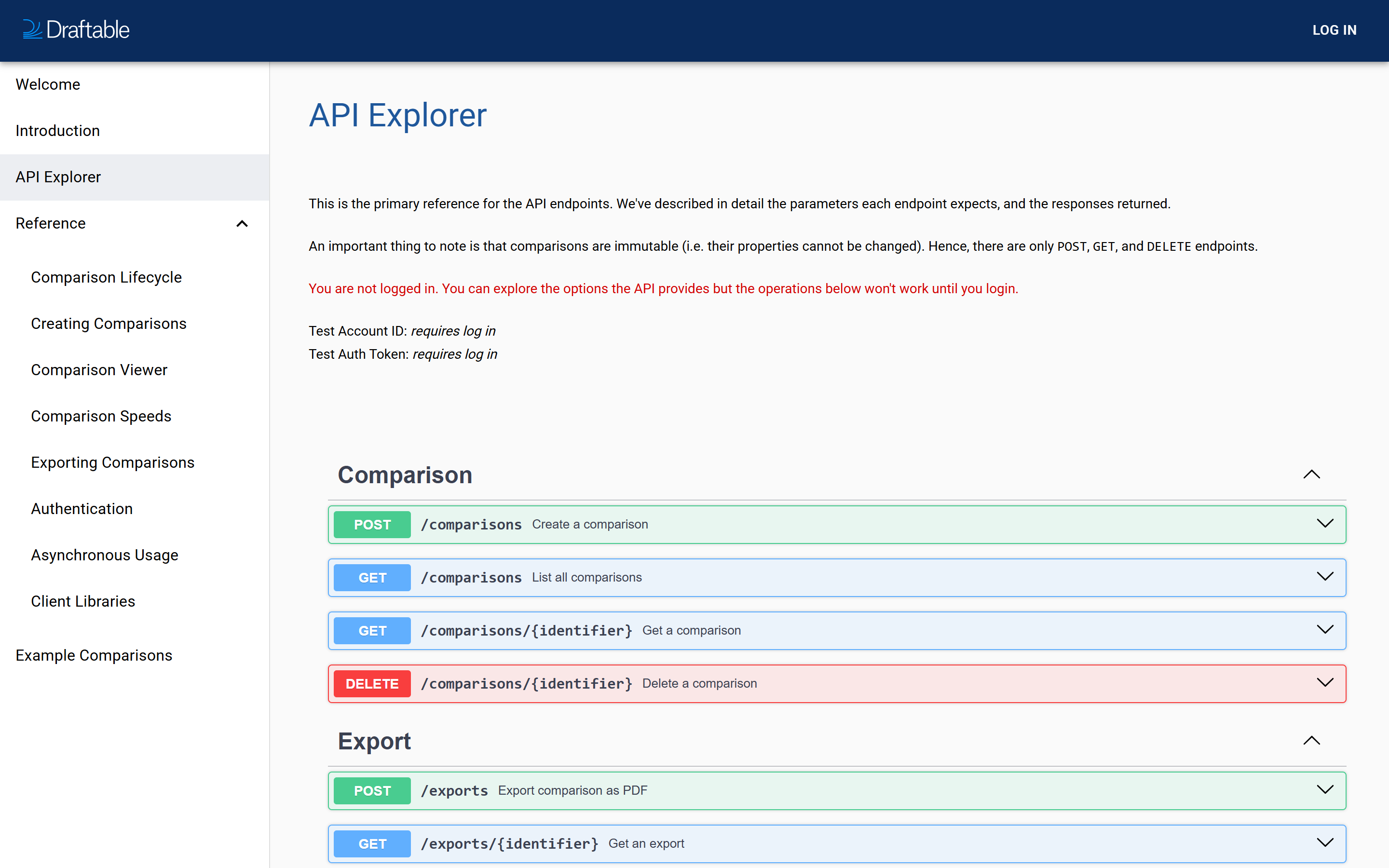
The Explorer lists all six API operations, grouped into Comparison and Export:That is the complete API surface. Comparisons are immutable, meaning their properties cannot be changed once created, which is why there are only POST, GET and DELETE operations and no PATCH or PUT.
Logged out versus logged in
This is the part worth understanding before you start.
Logged out, the Explorer displays a notice reading “You are not logged in. You can explore the options the API provides but the operations below won’t work until you login.” Everything is still readable, so it is perfectly usable as a reference without an account.
Once you sign in, your Test Account ID and Test Auth Token appear at the top of the page, and the Try it out buttons become live.
It always uses your test account
This is the single most important thing to know about the Explorer, and it is a deliberate safety measure.Requests you run from the API Explorer are authenticated with your test credentials only. There is no way to run a production request from the Explorer. Your live comparisons and production traffic cannot be affected by anything you do here.
Running a request
1
Sign in
Select LOG IN at the top right. Your test credentials then appear at the top of the Explorer page.
2
Expand an operation
Select any operation row to expand it. You will see its description, every parameter with its type and whether it is required, and the possible responses.
3
Select Try it out
This unlocks the parameter fields so you can enter values.
4
Fill in the parameters
Required parameters are marked. For
POST /comparisons you must supply left.file_type and right.file_type, plus either a file or a source URL for each side.5
Execute
The Explorer sends the request and shows you the response code, the response body, and the equivalent
curl command.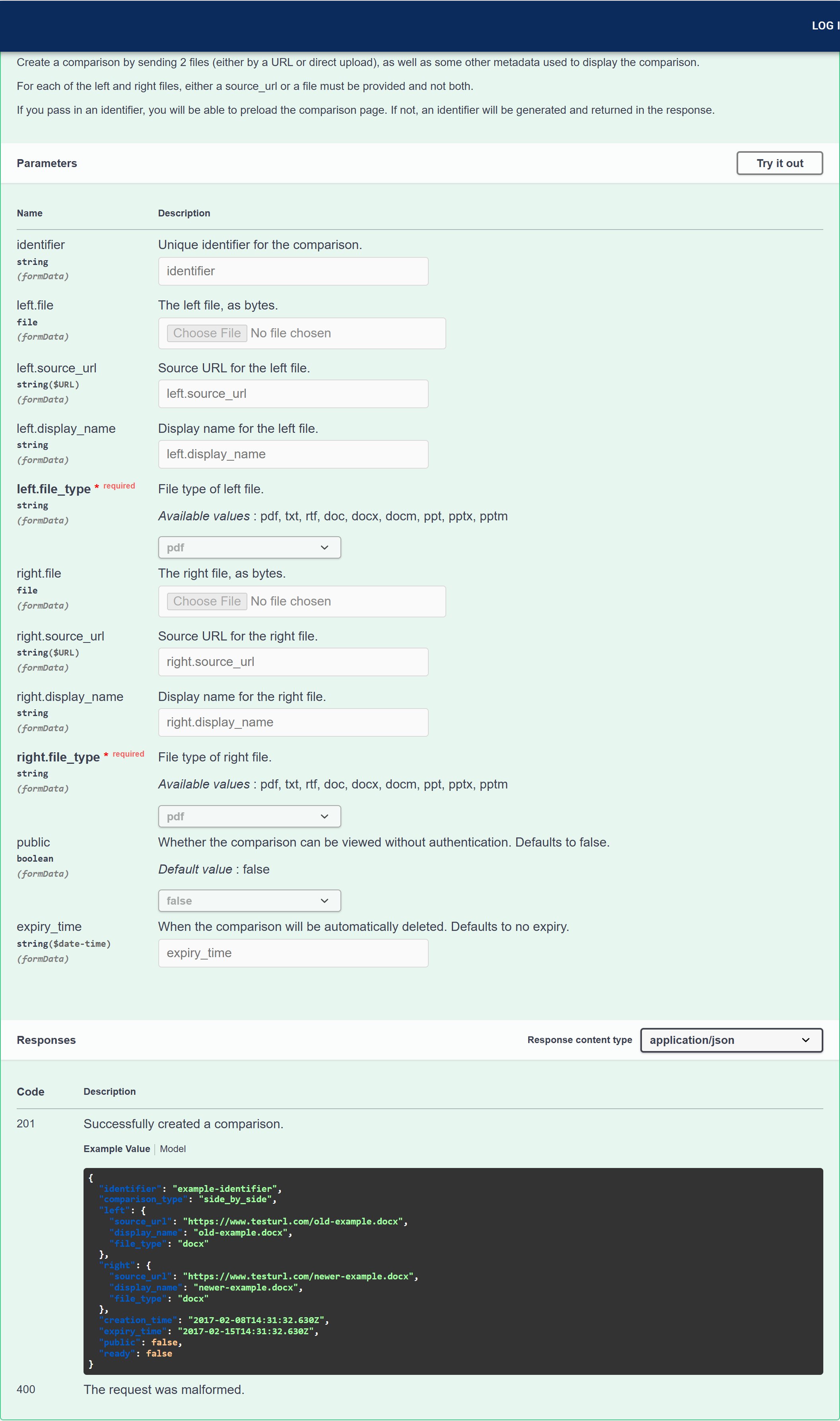
Reading the parameter list
The expanded view is the authoritative reference for each endpoint. ForPOST /comparisons it shows, among others:
left.fileandright.file— the documents as file uploadsleft.source_urlandright.source_url— URLs for Draftable to fetch insteadleft.file_typeandright.file_type— required, with the accepted values listedleft.display_nameandright.display_name— the labels shown in the vieweridentifier,publicandexpiry_time— optional comparison settings
The parameter list adapts to your account. If your plan has redline comparisons enabled, an extra
comparison_type parameter appears, letting you choose between side_by_side and redline. If you do not see it, your plan does not include redline output.The rest of the documentation site
The Explorer sits alongside a set of reference pages on the same site, reachable from the left-hand navigation:Getting a raw copy of the specification
The Explorer is generated from an OpenAPI specification, which you can download directly:The specification is generated per request and reflects your account, so download it while signed in if you want it to include plan-specific parameters such as
comparison_type.