

Overview
When you run a new comparison in Draftable Business, you can choose whether it opens as a new tab within the Draftable application or as a separate new window. This setting lets you tailor the comparison workflow to suit how you prefer to work.How to configure the new comparison mode
1
Right-click the Draftable Desktop icon in the taskbar and select Settings.
2
In the settings menu, navigate to the General tab.
3
Under the Workflow section, locate the New comparison mode dropdown.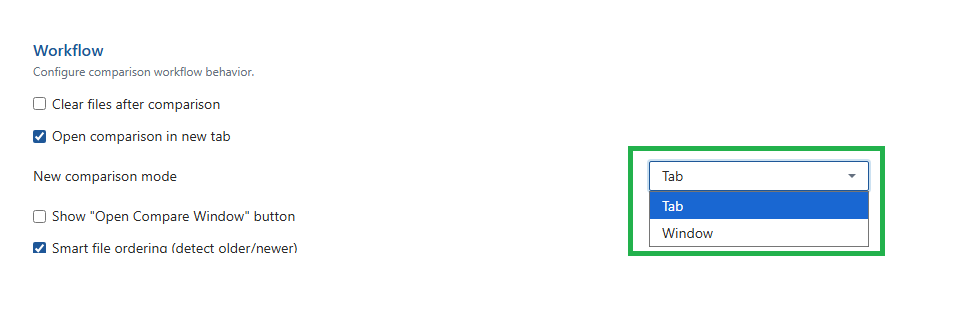
4
Select your preferred option:
- Tab — New comparisons open as a tab within the existing Draftable window. This keeps everything in one place and is useful if you prefer a consolidated workspace.
- Window — New comparisons open in a separate window. This is useful if you want to view multiple comparisons side by side on your screen.
Which option should I choose?
- Choose Tab if you prefer working within a single application window and switching between comparisons using tabs.
- Choose Window if you frequently compare multiple documents at the same time and want each comparison in its own dedicated window.