

- Find and understand any setting faster with a fully rebuilt Settings interface featuring consistent language, clearer labels, and search.
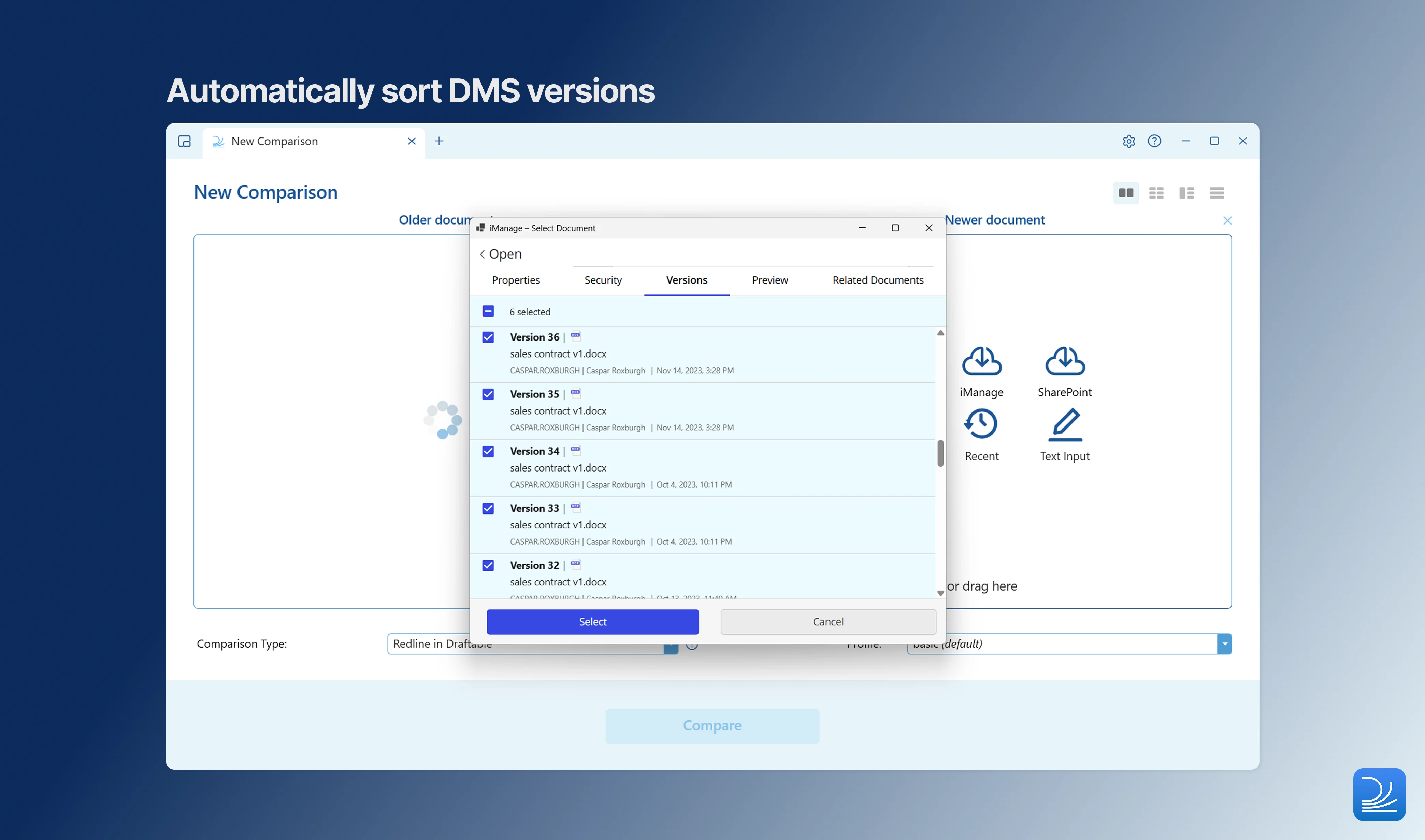
- Spend less time setting up bulk comparisons as the Compare Selector now auto-pairs and orders file versions as you import them.
- Enjoy a consistent experience across every mode with a unified Recent Files picker in both Single and Bulk modes and a swap-sides button to correct the older/newer order wherever you compare.
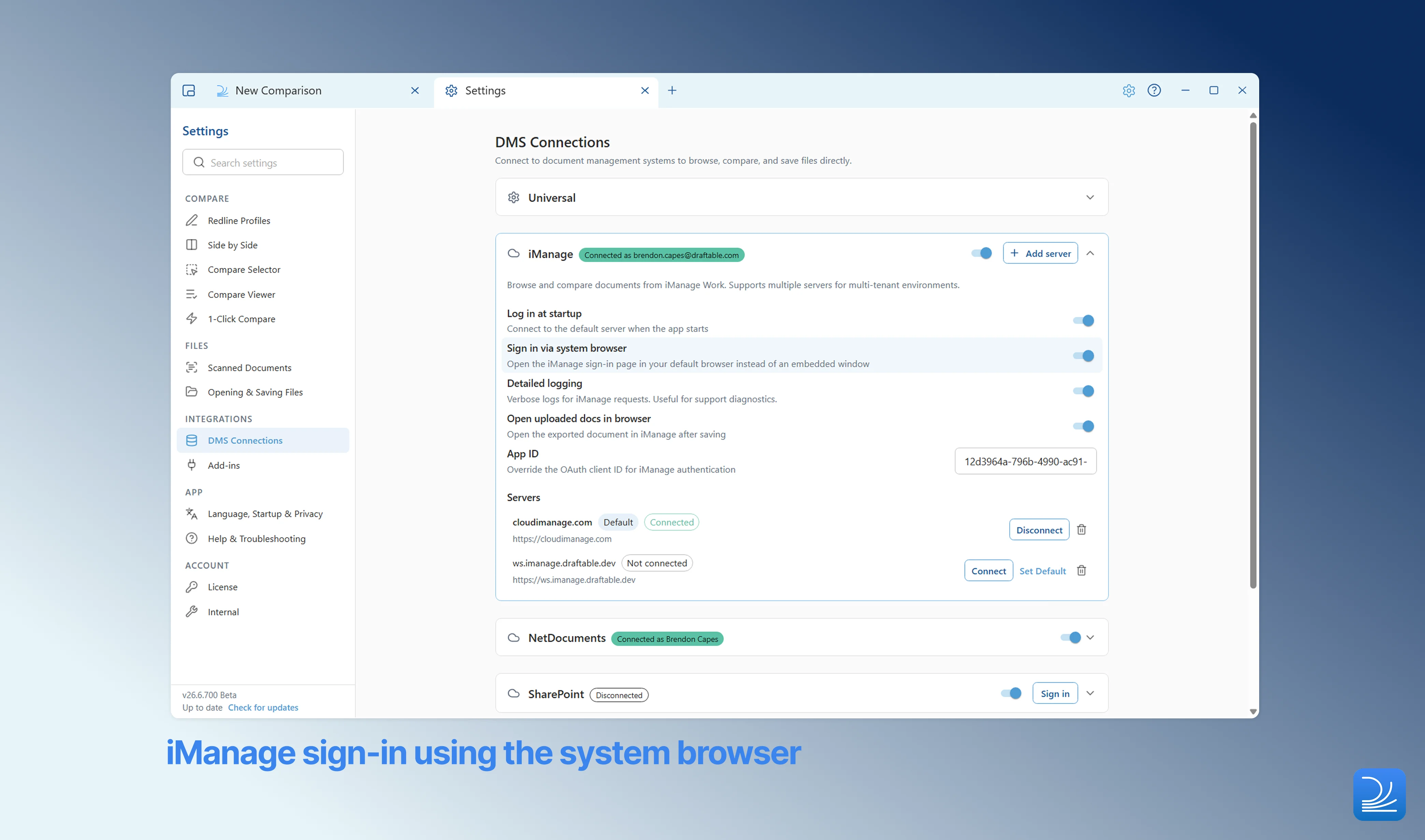
- Sign in to iManage more reliably with a new option to authenticate in your default browser.
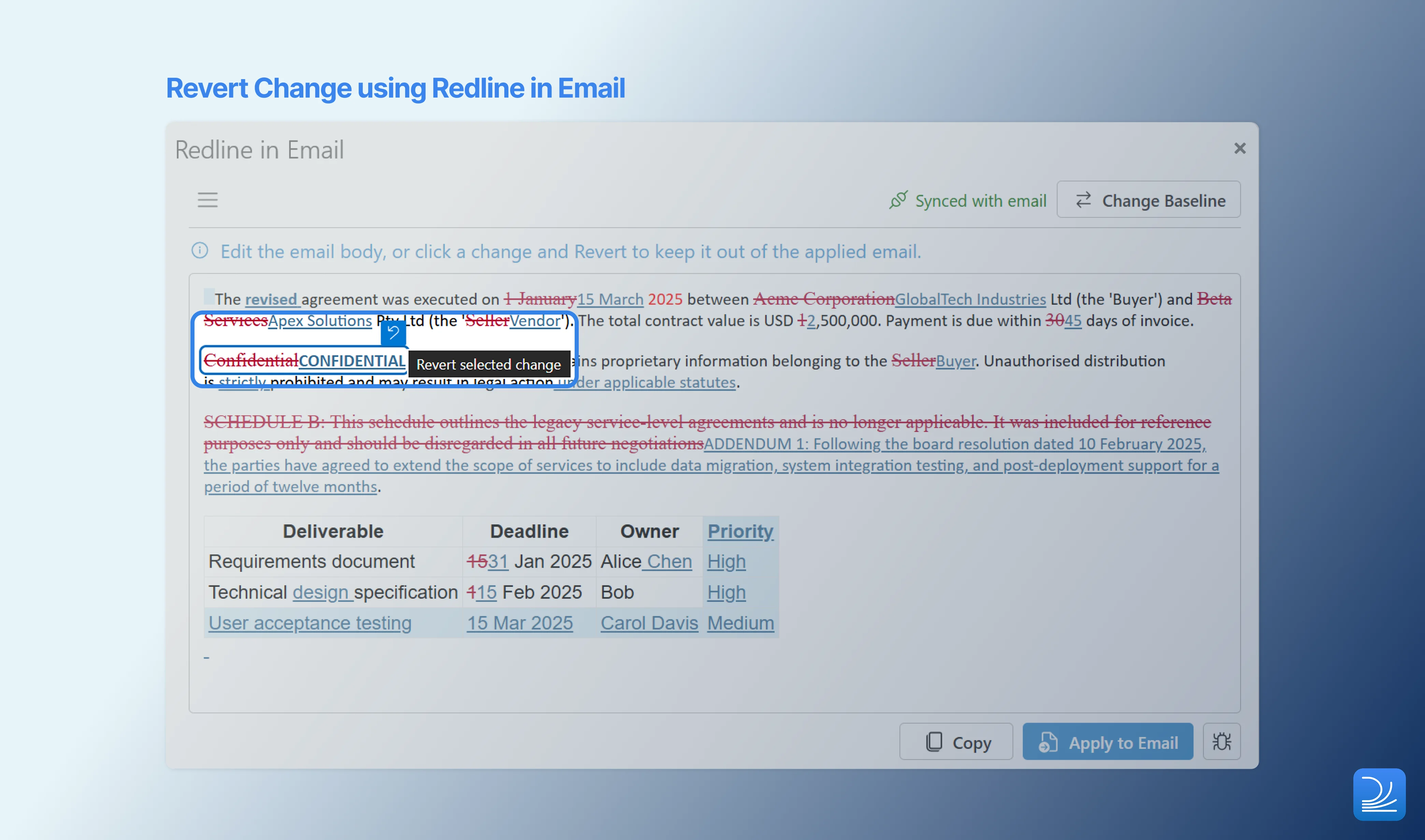
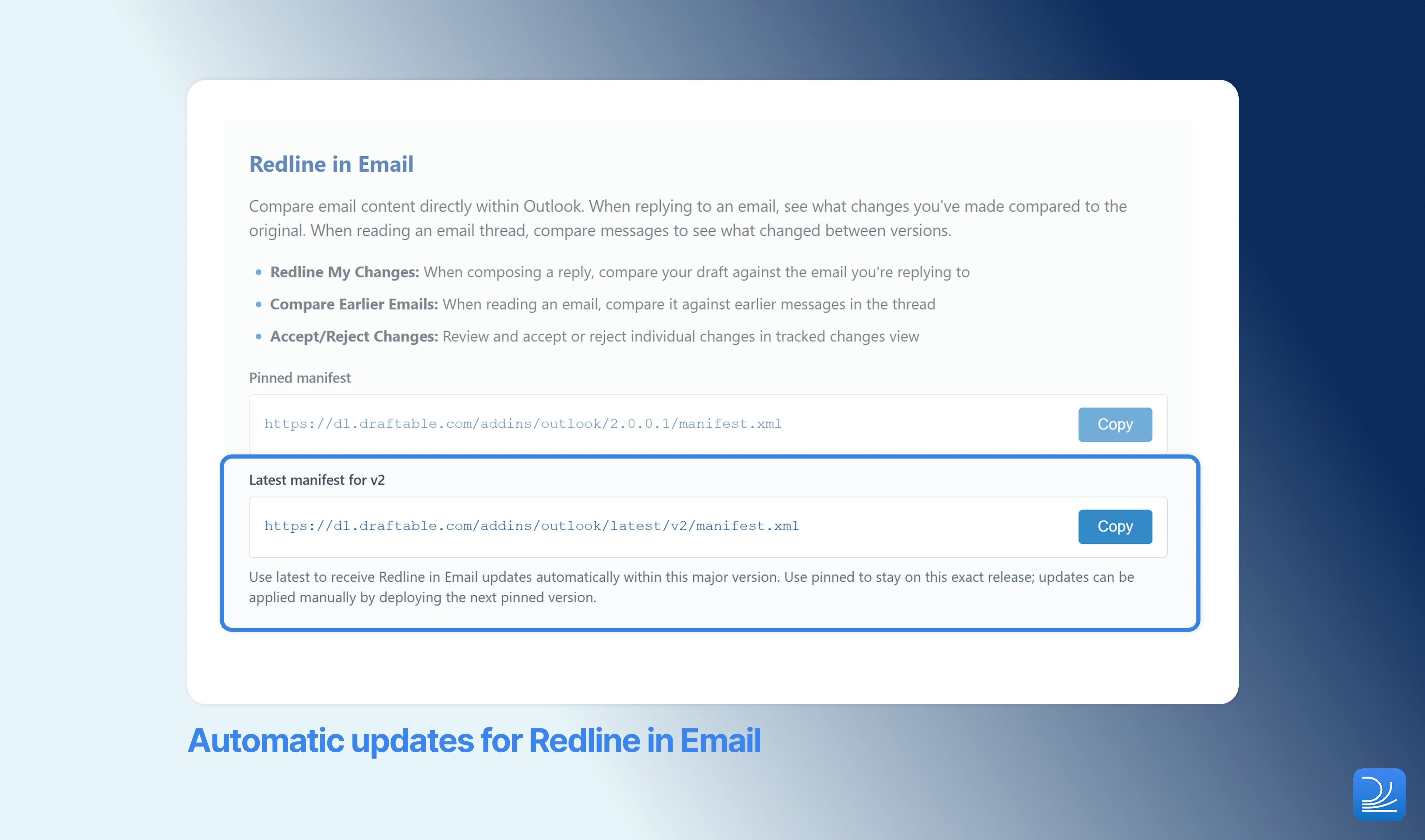
- Fix a mistake without starting over in Redline in Email by undoing individual changes in the preview, while admins get automatic add-in updates.
Settings
A fully rebuilt Settings interface
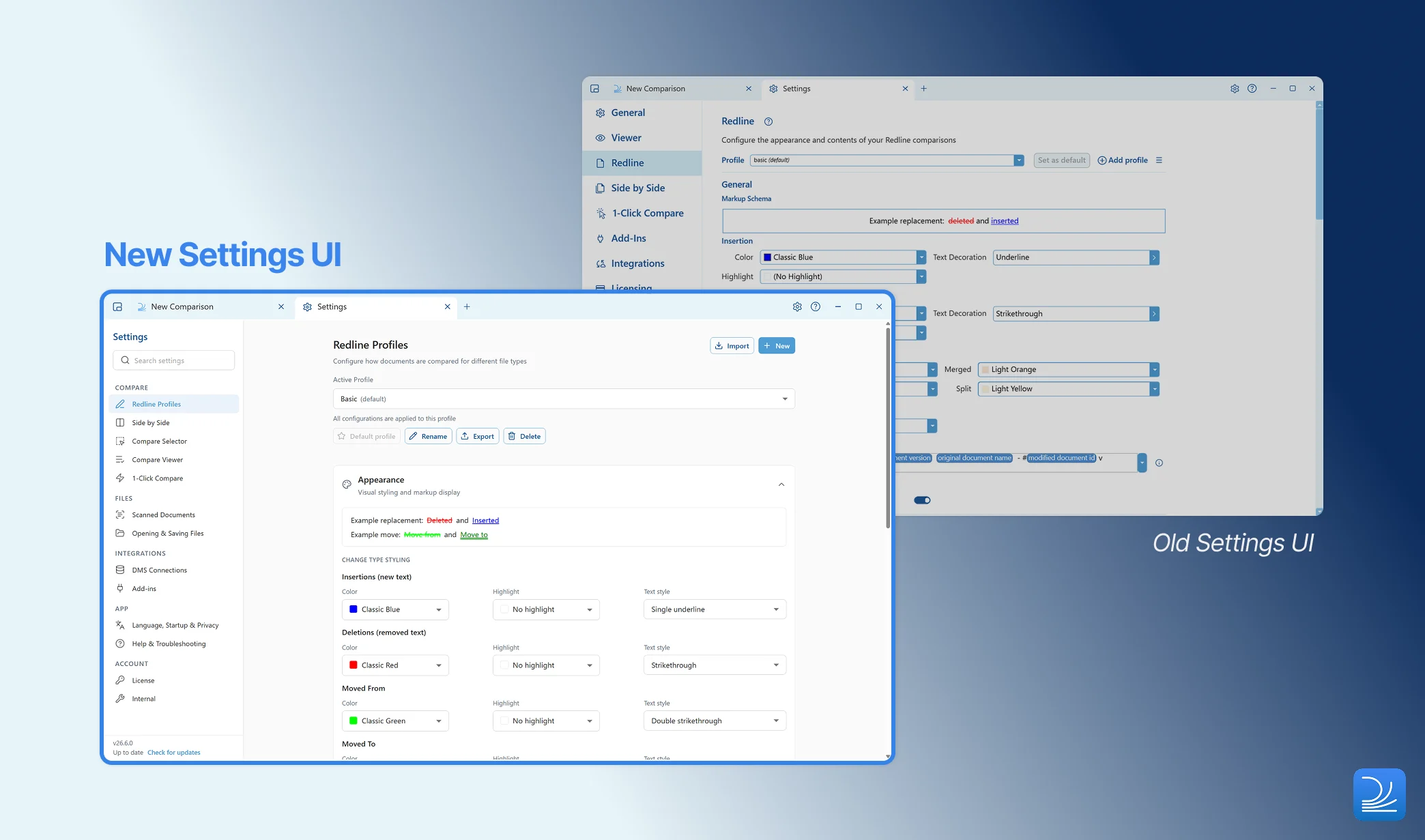
There are two checks for IT administrators: the removed
AfterCompareSaveDestination policy, and the supported redline view modes. Please read our upgrade notice in the Release Log for full details.As part of this rebuild, the output filename pattern and a small number of related output settings moved out of individual Redline profiles and became application-wide. Values were carried across from your default profile. If you previously used a different filename pattern on a custom profile, see Recovering per-profile settings after upgrading to 26.6 for how to read your original values back and reapply them.
Core Functionality
Changes Report export restored for PowerPoint and Excel Redline
The Changes Report was superseded in favour of the Departures Table. For formats like Excel and PowerPoint, however, there is no Departures Table, so the Changes Report should never have been removed for these file types. It has now been restored, bringing back the summary output for firms that rely on it when comparing PowerPoint and Excel Redline.New keyboard shortcut to start a comparison
You can now press Ctrl+T to open a new comparison at any time, giving keyboard-first users a quicker way to begin their next review without reaching for the mouse.Compare Selector
Smarter file pairing and ordering
Unified Recent Files picker
The Recent Files picker is now consistent across both Single and Bulk modes. Wherever you are setting up a comparison, you have the same quick access to recently used documents across all modes.Swap sides and clear all
A swap-sides button is now available in every comparison mode, making it easy to correct the older/newer order regardless of how you are comparing. Single mode also gains a clear-all action to reset your selection in one click.Integrations
Optional system-browser sign-in for iManage
Redline in Email
This release ships alongside Redline in Email 2.0.0, the Outlook add-in that brings Draftable’s comparison technology directly into your inbox for live email redlining and accept/reject review.Undo individual changes in the redline preview
Automatic add-in updates for administrators
Hide the “Create New Email” button via admin policy
Outlook limits the size of an email that can be created programmatically to 32KB. If your firm’s emails regularly contain more text content than this, the Create New Email button used by Redline in Email may not work reliably. A new administrator policy lets you hide this button for your organization, so you can remove it where the Outlook size limit makes it unsuitable.Accuracy
Sharper XLSX redline alignment on large spreadsheets
Row matching in XLSX redlines now uses a new algorithm, producing sharper, more reliable alignment on large spreadsheets. Inserting or deleting rows in a big workbook now highlights only the rows that actually changed, rather than reporting subsequent rows as differences.Administrator Features
Headless license activation
Draftable can now be activated from the command line using the application executable:Smaller, more reliable application updates
Application updates now always apply deltas, downloading only what has changed between versions. This results in significantly smaller downloads, which is particularly valuable for users on slow or metered connections. The “update ready” notification has also been refined so that it no longer repeats on every launch — one less interruption for users who aren’t ready to update yet.Platform Improvements
Updated embedded browser engine
The embedded browser engine has been updated to CefSharp 147, bringing the latest security patches to the components Draftable uses to render web-based content.Bug Fixes
As with all releases, the Early June update included fixes to a number of reported issues in Draftable Desktop: Application fixes- Fix for the Combined Departures Table being offered in many-to-one mode, where it does not apply
- Fix for the Cancel Export button not responding in Bulk Compare
- Fix for a crash in TextOnly Quick Compare
- Fix for action buttons being truncated in the Compare Selector
- Fix for the last row being clipped in the Compare Selector
- Fix for the Recent Files dialog appearing behind the Compare Selector
- Fix for incorrect Add button text in the Compare Selector
- Fix for One-to-Many headers not staying fixed when swapping sides
- Fix for comparisons failing on documents containing corrupt embedded images
- Fix for deleted section properties not inheriting correctly in Word redline output
- Fix for tables embedded in pictures not being compared correctly
- Fix for row-merge markup in Word redline output
- Fix for hidden numbered paragraphs causing misaligned redlines
- Fix for PDF text extraction on very wide, slightly rotated bounding boxes
- Fix for a grammar and spacing edge case involving misplaced spaces
- [iManage] Fix for the debug-logging toggle not persisting across sessions
- [NetDocuments] Fix for the navigation path incorrectly including the workspace ancestor
- [Outlook] Fix for the add-in Help link pointing to the wrong knowledge base article
- Fix for moved text not being detected when Outlook normalised its markup colour — relocated text is now reliably shown as moved, rather than as a separate deletion and insertion
- Fix for comparisons failing on emails containing corrupt embedded images
- Fix for poor diff quality in numbered lists, including incorrect numbering, indentation, and false-positive spacing changes in sub-lists