


- Run comparisons significantly faster, with the biggest gains showing up when you run multiple comparisons in a session.
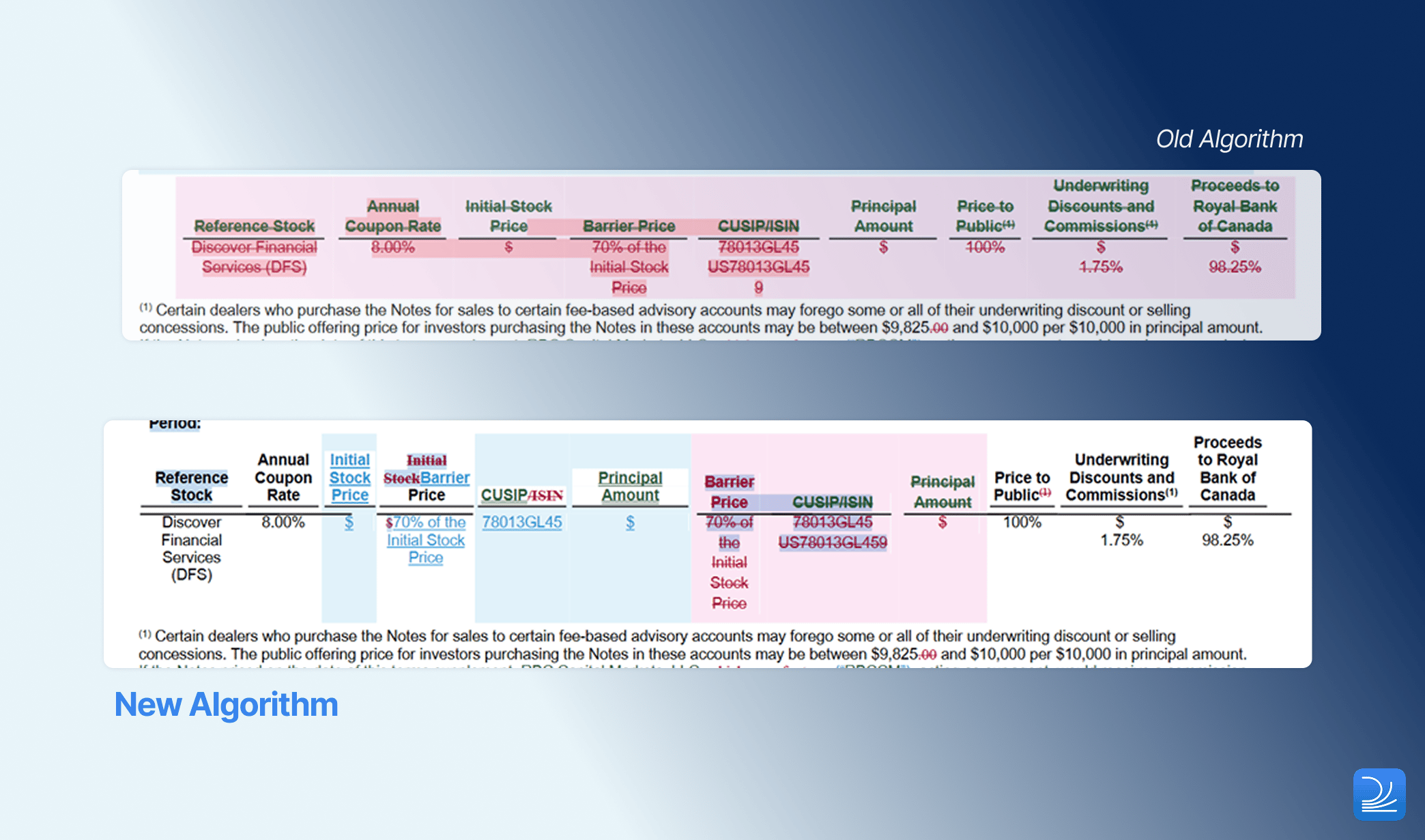
- Get clearer results when tables are split or combined between drafts, as table matching now aligns restructured rows and tables so you see the actual edits rather than large blocks of change.
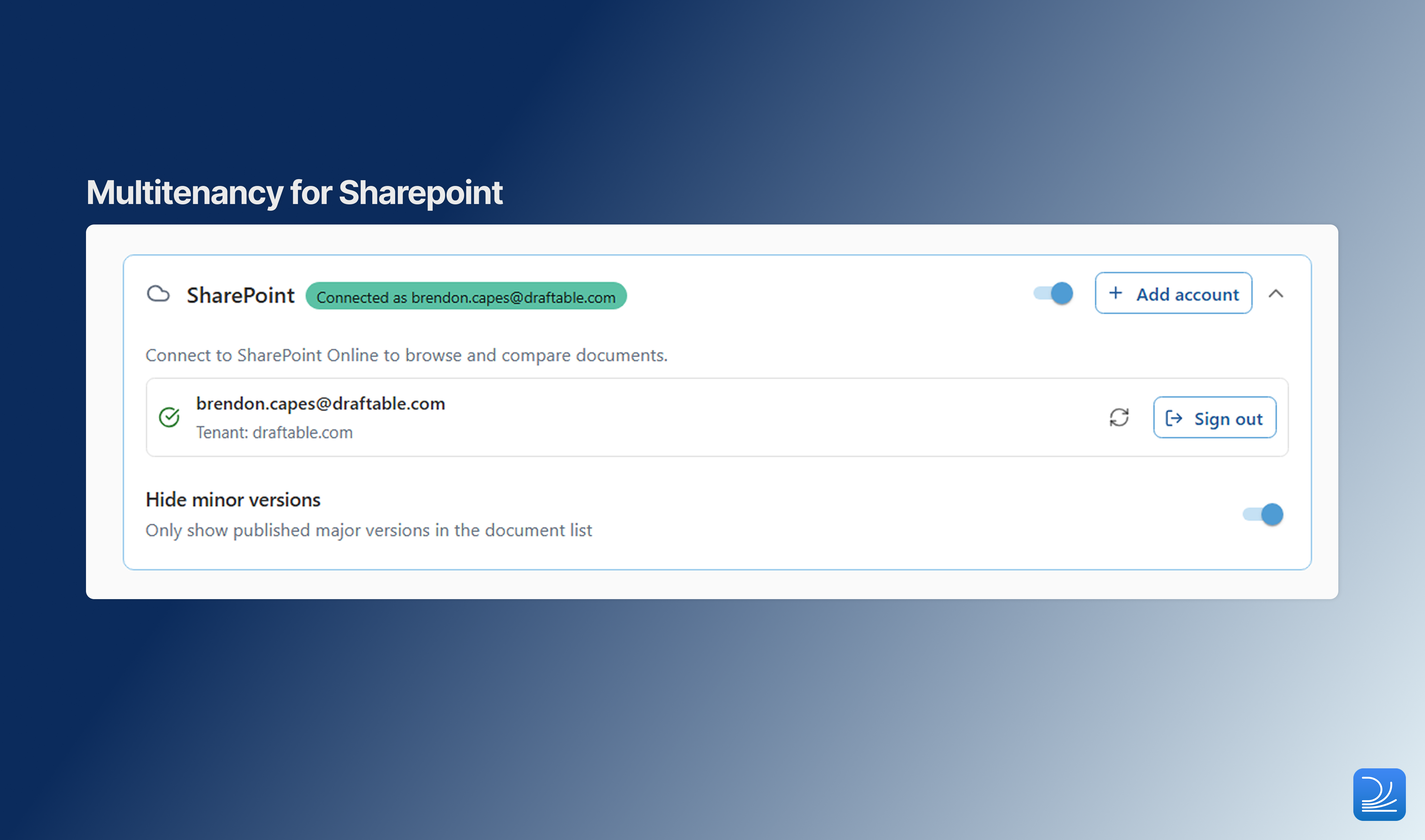
- Use SharePoint more reliably with a reworked integration that makes everyday document access smoother.
- Save to iManage on security-hardened tenants with a new administrator policy to streamline browser-based sign-in.
- Always get a Changes Report for Excel and PowerPoint Redline regardless of your settings.
Performance
Faster comparisons, especially across a session
Draftable Legal v26.6.100 is now significantly faster than previous versions in our benchmark testing. The improvement is most noticeable when you run several comparisons in a row, because Draftable now keeps comparison resources ready during your session instead of paying the same start-up cost each time. In practice, that means less waiting between comparisons, and faster review work across common Word, PDF, Excel, PowerPoint, and Bulk Compare workflows. Performance results are based on Draftable benchmark testing comparing v26.6.100 with v26.6.0 on a fixed set of sample documents in our test environment. Each scenario was run multiple times and the median result was used. Actual performance will vary depending on document type, document content, hardware, and workflow.Accuracy
Better matching when tables are split or combined
Core Functionality
Changes Report always available for Excel and PowerPoint Redline
Draftable recently made the richer Departures Table the default per-change summary for DOCX and PDF comparisons, superseding the older Changes Report output. Administrators can still re-enable both outputs where needed. Excel and PowerPoint comparisons don’t have a Departures Table, so the Changes Report remains their only per-change summary export. In this release the Changes Report is always available for Excel and PowerPoint Redline, independent of the Show Changes Report setting that governs other formats. This ensures firms that rely on a summary output for spreadsheets and presentations always have one, without any configuration required.For DOCX and PDF Redline, the administrator-controlled Show Changes Report setting continues to govern whether the Changes Report is included.
Integrations
SharePoint reliability improvements
Saving to iManage on secured tenants
Saving comparison results back to iManage now works more reliably on tenants with stricter browser security settings. This resolves an issue where the iManage file picker could be blocked from loading during save.Administrator Features
Streamline iManage system-browser sign-in via policy
Administrators can now use Group Policy to remove the confirmation prompt shown before iManage system-browser sign-in opens the user’s default browser. This helps standardise iManage sign-in across an organisation and reduces repeated prompts for users. If the policy is not configured, Draftable behaves as before and users can still choose Don’t show this again themselves.Redline in Email
This release also improves the technology behind Redline in Email. These changes do not require a separate add-in update:- The add-in can now support auto-updating deployment, reducing the need for manual manifest changes.
- HTML email comparisons can now ignore images when they are not relevant, producing cleaner email redlines.
Platform Improvements
Updated document engine
Draftable now uses Aspose.Words 26.6 for document processing. This update improves output quality and includes upstream fixes for reported conversion issues.Bug Fixes
This release also fixes a range of reported issues across Draftable Desktop: Application fixes- Fix for the “Create Safe File for Sharing” tool hanging after documents are selected
- Fix for custom output filenames not being retained when settings are upgraded to 26.6
- Fix for Bulk Compare Export → Copy only copying one file when several were selected, and for spurious overwrite prompts
- Fix for the Compare Selector using stale redline settings instead of the current ones
- Fix for Bulk Compare progress not reaching 100%
- Fix for shift-click range selection of changes not working on the first attempt
- Fix for pages rendering blank after using the “Changed pages” filter
- Fix for Excel redline row and column reference bars flickering or disappearing
- Fix for the OCR setting not being remembered between sessions
- Fix for an incorrect “Start a Trial” link
- Fix for a duplicate “New Comparison” tab and an unwanted welcome pop-up on managed or GPO-activated installs where disabled by policy
- Fix for the Windows Service version endpoint
- Fix for garbled text appearing in some comparisons
- Fix for mismatched page sizes when summary reports are merged into a PDF target
- [SharePoint] Improved reliability of the authorization flow
- [iManage] Fix for saving to iManage on locked-down or secure tenants