

iManage users with Microsoft Entra Conditional Access: If your organisation uses iManage with Microsoft SSO and enforces device-compliance policies through Conditional Access, you may experience sign-in issues after upgrading to this version. Please read our notice in the Release Log for full details and available workarounds.
- Bulk Compare now supports three of the most common multi-document workflows in legal practice, with Pairs for matched-batch reviews, One-to-Many for master-vs-variants comparisons, and the brand-new Timeline mode.
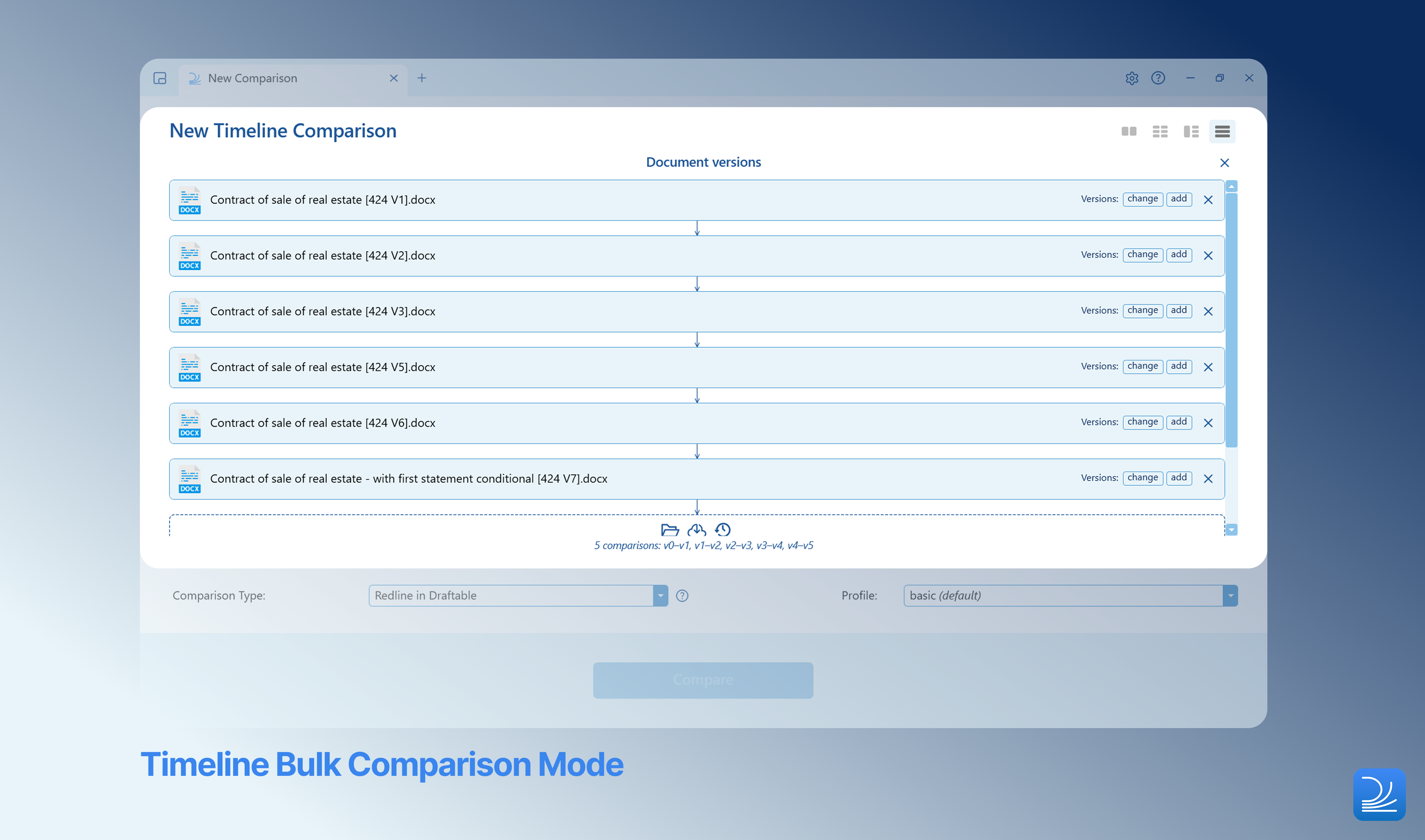
- Track a document’s evolution end-to-end with the new Timeline mode, which automatically runs a sequence of comparisons through every version (v1 → v2, v2 → v3, v3 → v4…) in one go.
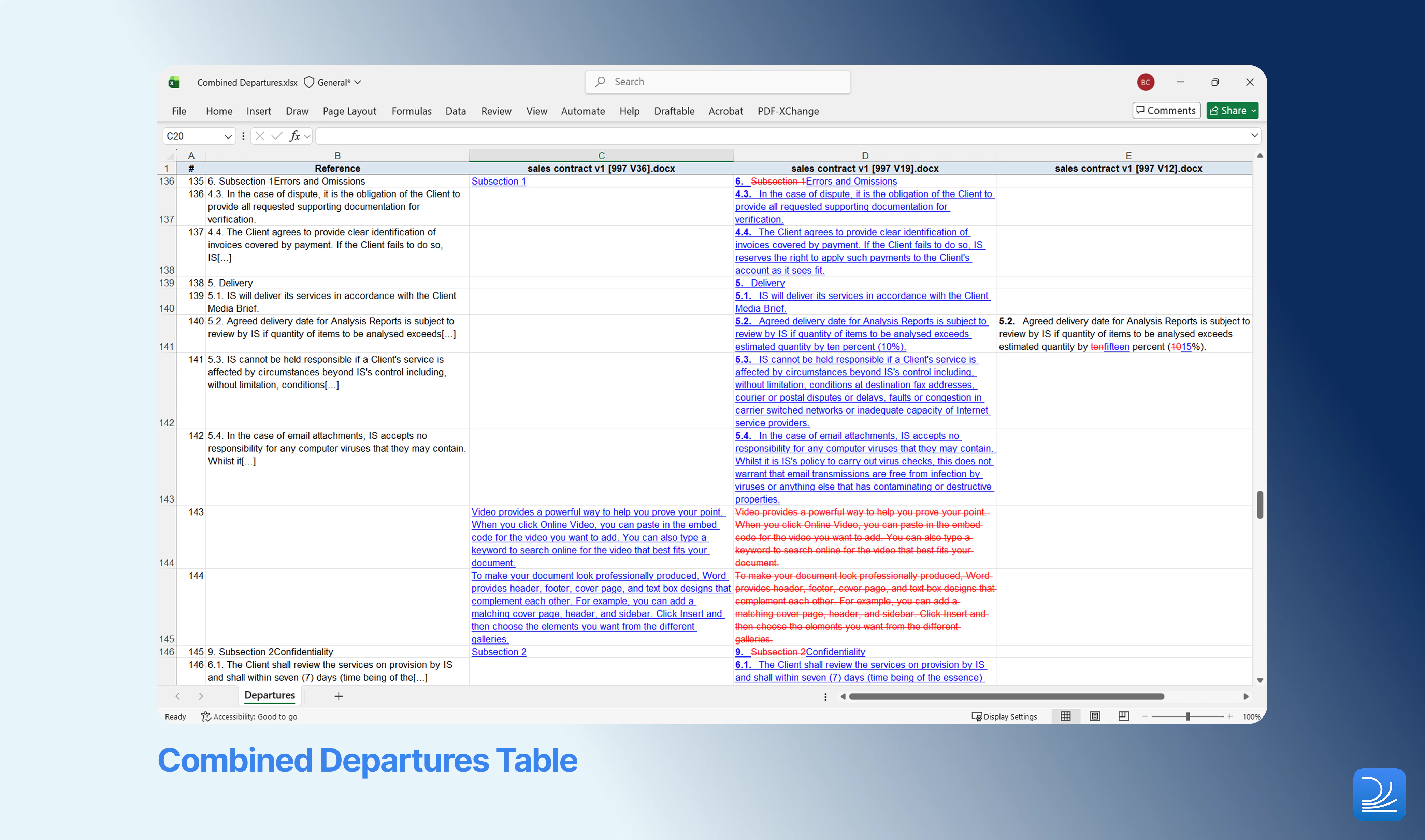
- Get a single Departures Table covering every comparison in a job with the new Combined Departures Table export for One-to-Many and Timeline mode.
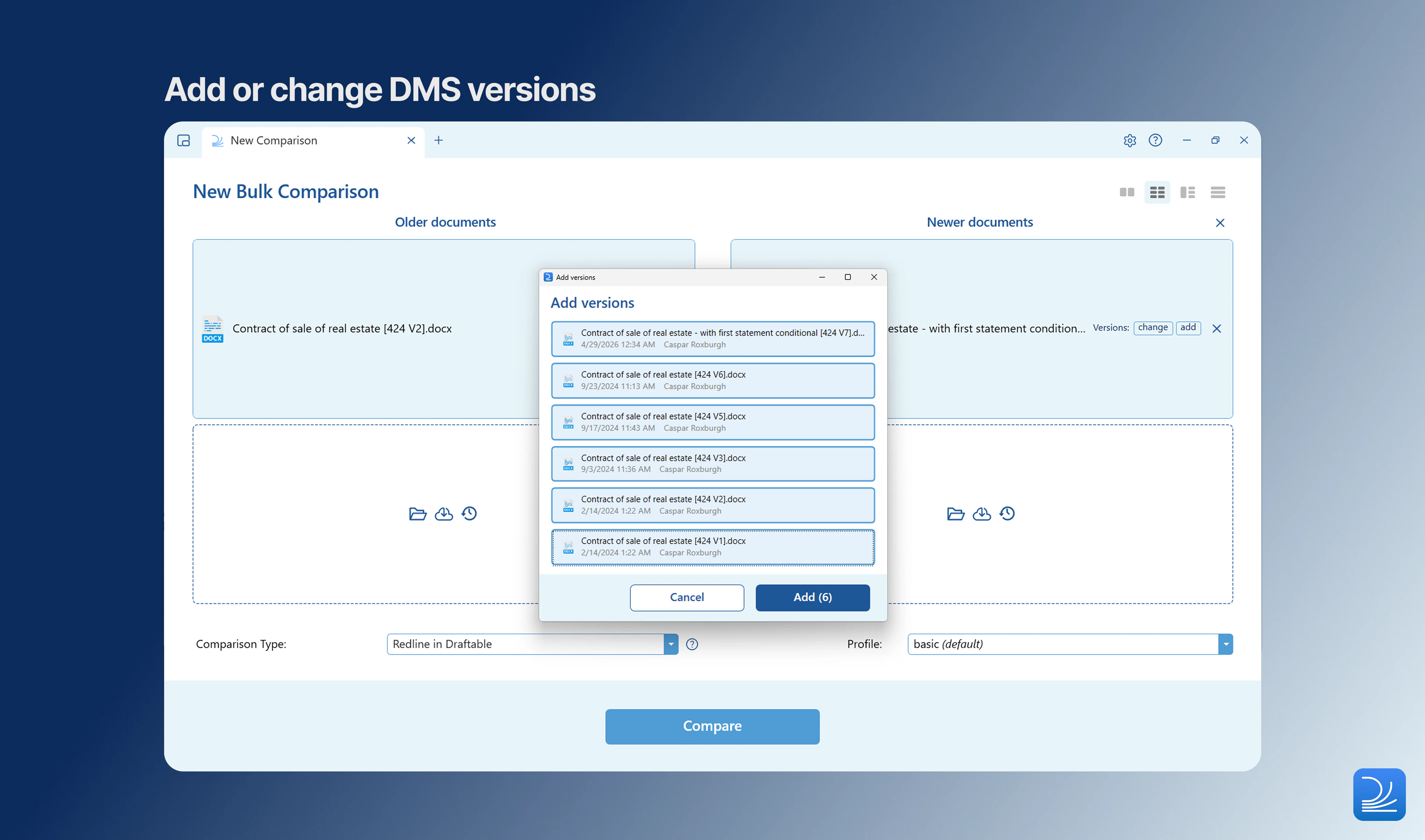
- Effortlessly add and change DMS versions for iManage, NetDocuments, and SharePoint files across all comparison modes.
- A faster, more reliable modern Office add-in experience, plus dark mode support in Redline in Email.
Bulk Compare
Three Bulk Compare modes available in the new comparison screen
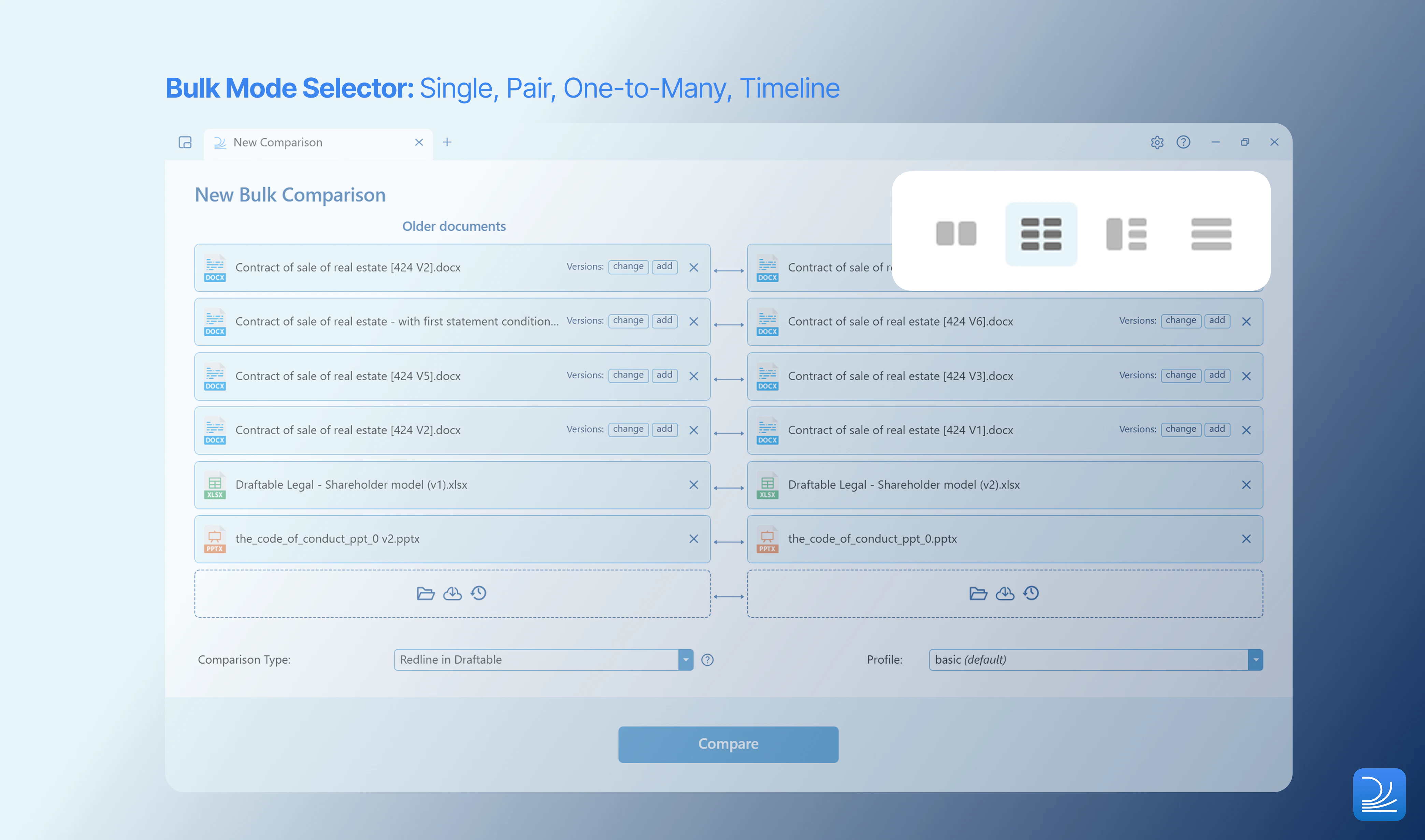
- Pairs — compare two lists of documents in matched order (e.g. v1 of each document against v2 of each document).
- One-to-Many — compare a single base document against many other documents in one job.
- Timeline (new) — automatically run a sequence of comparisons through document versions in order.
New Timeline mode for tracking document evolution
New Combined Departures Table for One-to-Many and Timeline mode
Core Functionality
Choose (and add) DMS versions in any comparison mode
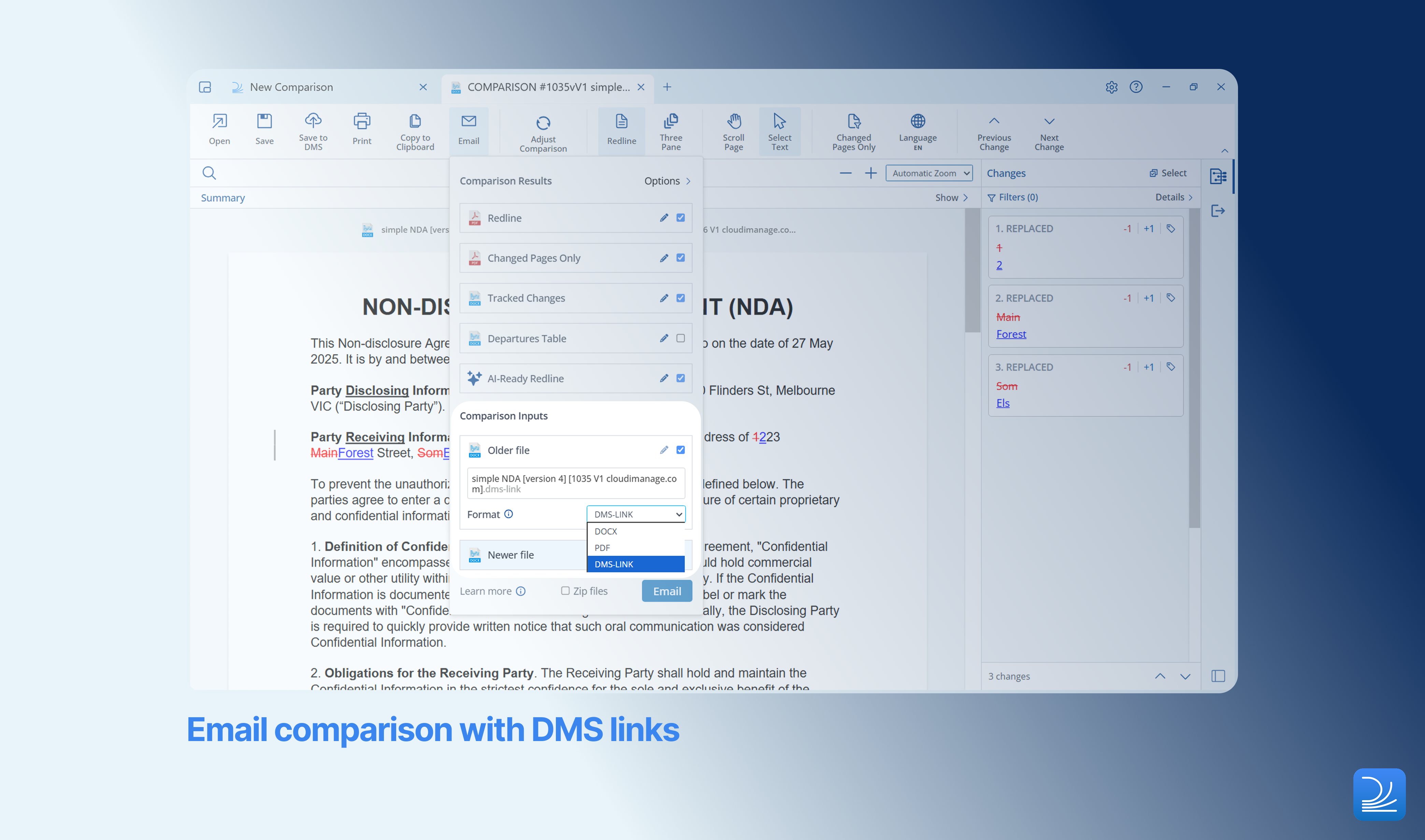
Email comparison results with input files as DMS links
Markup Configuration
Improved footnote numbering accuracy in Redline and Tracked Changes output
Footnote numbering in Redline and Tracked Changes outputs has been refined to better reflect the document’s actual numbering. This is now configurable as a redline profile setting, giving administrators control over how footnote numbering is presented in exported outputs.Accuracy
Cleaner page-break handling and rendering improvements
A round of accuracy improvements reduces a number of long-standing sources of noise in PDF outputs:- Cleaner page-break handling reduces false-positive page and section breaks that previously appeared as extraneous changes in Redline output - particularly noticeable when documents use artificial breaks to avoid widow/orphan lines, or when section and column markers don’t line up perfectly between versions.
- Textbox content is no longer cropped during PDF conversion, ensuring text inside textboxes is fully captured for comparison.
- California pleading documents benefit from fine-tuned line-number stripping and first-page rendering, producing cleaner comparisons of court-filed documents that follow the California pleading format.
Ease of Use
Excel and PowerPoint redline default to native formats
When exporting Excel and PowerPoint redlines, Draftable now defaults to xlsx and pptx formats respectively. This aligns the default behaviour with what most reviewers expect — getting an editable native-format output rather than a PDF — and removes a small but frequent extra click from the export workflow.DMS Versions dialog preserves side positions
When selecting a different version in the DMS Versions dialog, Draftable now uses a dedicated control that preserves which side is older and which is newer. This change makes version swaps more predictable and helps prevent accidental side-flips when navigating through document versions.Administrator Features
Streamlined export options: Departures Table prioritised over Changes Report
After consulting with customers, we found that the Departures Table and Changes Report serve similar purposes. Because the Departures Table is used more often and provides greater value as a clause-level record of changes, it’s now the default export option in Draftable, while the Changes Report is no longer surfaced in the default export menus. If your firm relies on the Changes Report, administrators can re-enable it — per Redline profile for Redline comparisons, or via a registry policy for Side-by-Side. See Most common Draftable Legal registry configurations for setup details.Improved visibility for admin-installed add-ins
Previously, the Settings page checked only the user’s config, which meant MSI-deployed add-ins didn’t appear, and the UI could misleadingly suggest that the installation had failed. Admin-installed add-ins now show up alongside user-installed ones, giving both admins and end users a clearer single view of what’s actually deployed on a machine. Where the user doesn’t have permission to read the admin registry path, the section now reflects that gracefully rather than reporting a failure.Add-in Improvements
This release also includes substantial updates to the modern Office and Outlook add-ins.Redline in Email — dark mode support
Redline in Email (v1.1.32) now supports dark mode in Outlook. Previously the task pane’s text was hard to read against the dark background, with content blending on grey themes. The refreshed task pane now respects Outlook’s dark theme properly, with proper contrast so reviewers can read what’s on screen.Draftable in Office/Outlook and Draftable for Office/Outlook — speed and reliability optimization
The April release of Draftable in Office/Outlook and Draftable for Office/Outlook delivers significant gains in speed and reliability, with optimization across the comparison logic in Word, Excel, and PowerPoint. Alongside these improvements, this release introduces:- Shared mailbox support in the Outlook add-in manifests, enabling firms that work from shared mailboxes to use the add-in without manifest workarounds.
- Unified version display across all add-in variants, so administrators and support teams can confirm which version is installed at a glance regardless of which add-in is in use.
- The Use Worksheet, Use Slides, Compare Open, and Current Document workflows no longer fail with intermittent “Comparison Failed” errors.
- 1-click compare, send-text, and email-reply flows in the Outlook add-in now run reliably.
- DMS calls to iManage and NetDocuments have improved error handling and timeouts, reducing hangs and unclear failures.
- Excel 97–2003 (.xls) files now surface a clear error message instead of hanging the add-in.
- Emailing comparison results no longer fails with an output error.
Bug Fixes
As with all releases, the April update included fixes to a number of reported issues in Draftable Desktop: Application fixes- Fix for excessive page count increases in Redline comparisons
- Fix for excessive margin space added during PowerPoint redline export
- Fix for tab-switch flicker in the comparison viewer
- Fix for add-in footer button overlap
- Fix for redline export failing when the previous save location had a long-path prefix (Dropbox / virtual folders)
- Fix for reserved footnote IDs in strict-schema documents
- Fix for hyphen-only changes not being detected in side-by-side compare
- Fix for stray instrText when accepting complex field deletion
- Fix for empty hyperlinks in comments causing decoder crashes
- Fix for HTML list parsing (“Expected Item in Unordered List”)
- Fix for Excel password exception variant from Aspose.Cells
- Fix for first w:vanish paragraph numbering with non-empty content
- Fix for invisible characters interfering with the del-ins shifter
- Fix for out-of-bounds lookup in table column consolidation
- Fix for sdt elements appearing in comments
- [Office Add-in] Fix for older/newer files being converted to PDF when emailing
- [Word COM Add-in] Fix for documents with unsaved edits no longer prompting to save
- [Word Add-in] Fix for iManage Work cache files not being recognised as DMS files