

How updates work
Draftable regularly releases updates for Draftable Clean, including bug fixes, performance improvements, and new features. As of v26.6.0, the application updates itself in the background by default — updates are downloaded automatically while you work and applied the next time the application is restarted. Draftable Clean also runs from a system tray icon and supports minimise-to-tray, so it stays available (and able to apply downloaded updates) without occupying the taskbar.If you are using the Machine-Wide MSI installer, updates are not applied automatically. All updates must be manually downloaded and installed by an administrator. See Deployment options for details.
Browser data is cleared when you install or update
As of v26.7.0, installing or updating Draftable Clean clears stale browser data left behind by the previous version. This prevents cache-related problems that could otherwise stop the application from starting correctly after an upgrade.If Draftable Clean is deployed and updated by an administrator, the cleanup applies to the profile it runs under. On managed or multi-user machines, confirm that the end user’s own browser data has been cleared rather than only the installing administrator’s.
Manually checking for updates
To force an update check or manually apply an update:1
Close and restart Draftable Clean. On launch, the application automatically checks for updates and downloads any available update in the background.
2
If an update was downloaded, you may be prompted to restart the application to apply it. Follow the prompts to complete the installation.
3
After restarting, check the status bar at the bottom of the application to confirm the version has been updated. See Checking the current version below.
In some cases, Draftable support may provide a specific update file for your organization. If so, download and run the installer directly — see Deployment options for installer details.
Checking the current version
The current version of Draftable Clean is shown in the status bar at the bottom right of the application window as App Version — for example,App Version: 26.9.0.
The latest release of Draftable Clean is v26.9.0 (8 September 2026). See the release notes for what changed. Version 26.8.0 was a beta-only release and was never published, so updating from v26.7.0 takes you straight to v26.9.0.
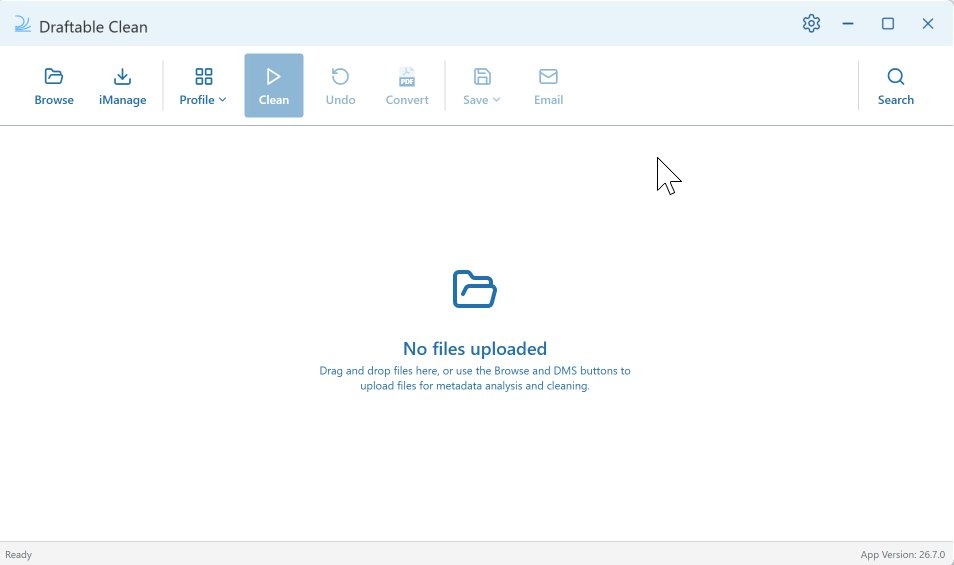
As of v26.7.0, the application version is displayed for all installation types, including the Machine-Wide MSI. Previously the version was not shown for MSI installations and had to be looked up in Windows Settings > Apps > Installed apps.The separate engine version that appeared at the bottom left of the status bar has also been removed. Draftable Clean now reports a single application version.