

- Compare in Draftable compares the selected file or files.
- 1-Click in Draftable instantly compares the selected file against its previous version.
Prerequisites
- Windows 11
- Draftable Legal 26.8.0 or later (see the Draftable Legal release log)
Enable the menu
1
Open the Extensions settings
Open Draftable Legal, open Settings (the gear icon), and select Add-ins. Under Extensions, find the Windows 11 context menu card.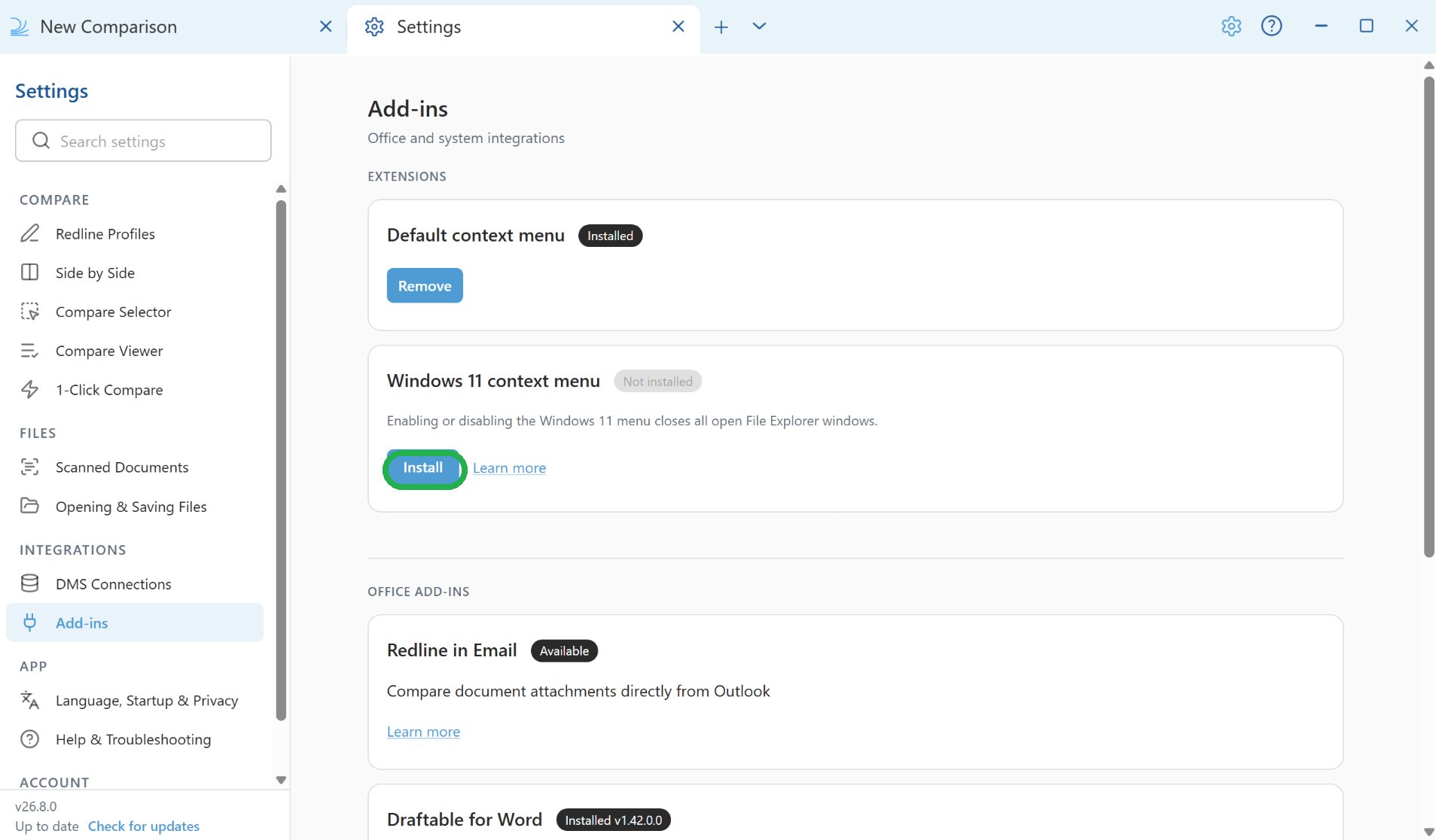
2
Install the menu
Click Install, and approve any Windows administrator prompt that appears.Enabling or disabling the Windows 11 menu closes all open File Explorer windows.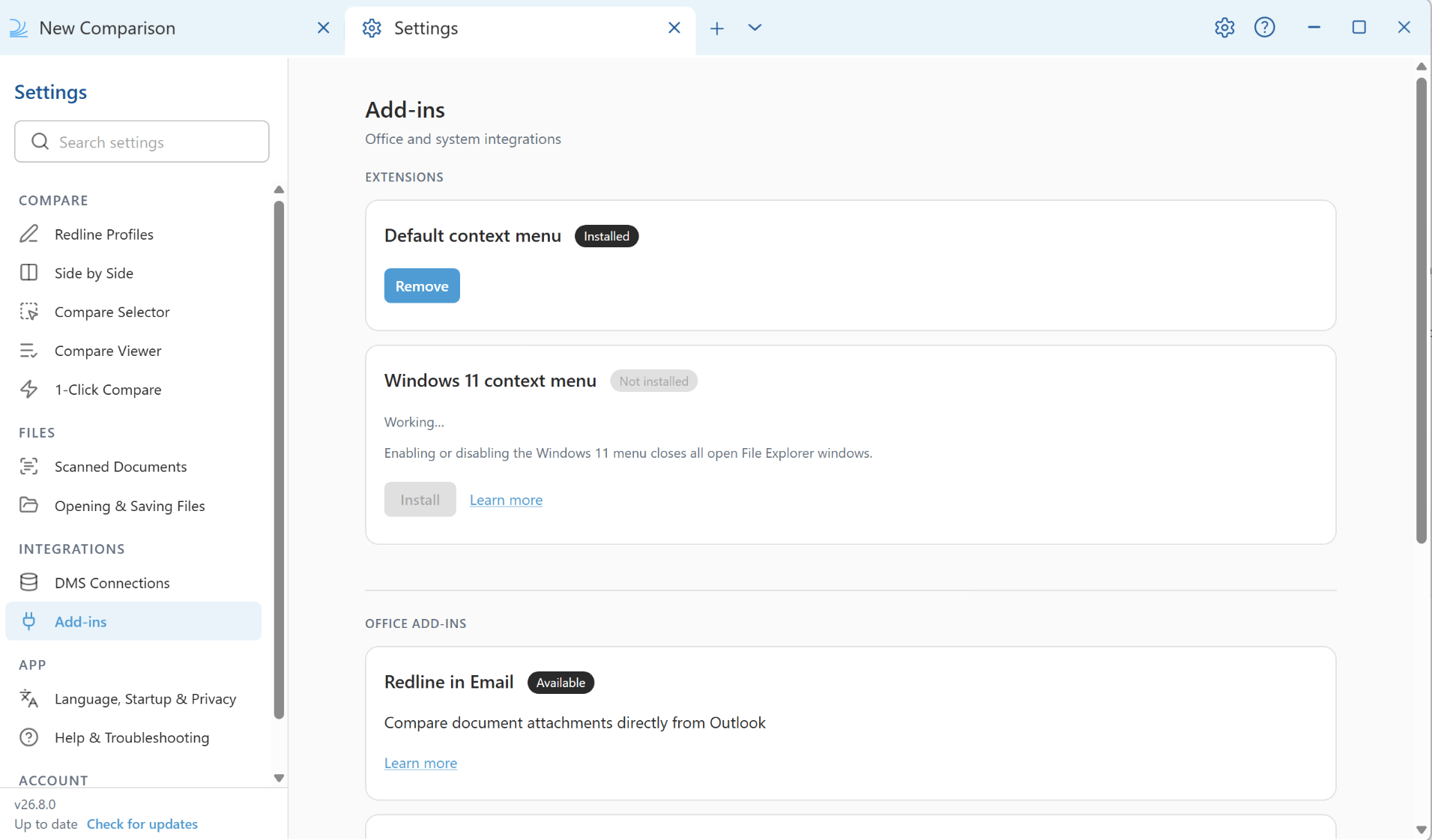
3
Confirm it is installed
When the change is complete, the status shows Installed and the button becomes Remove. Installing the Windows 11 menu also removes Draftable’s older Default context menu entry, so you will not see duplicate Draftable menus.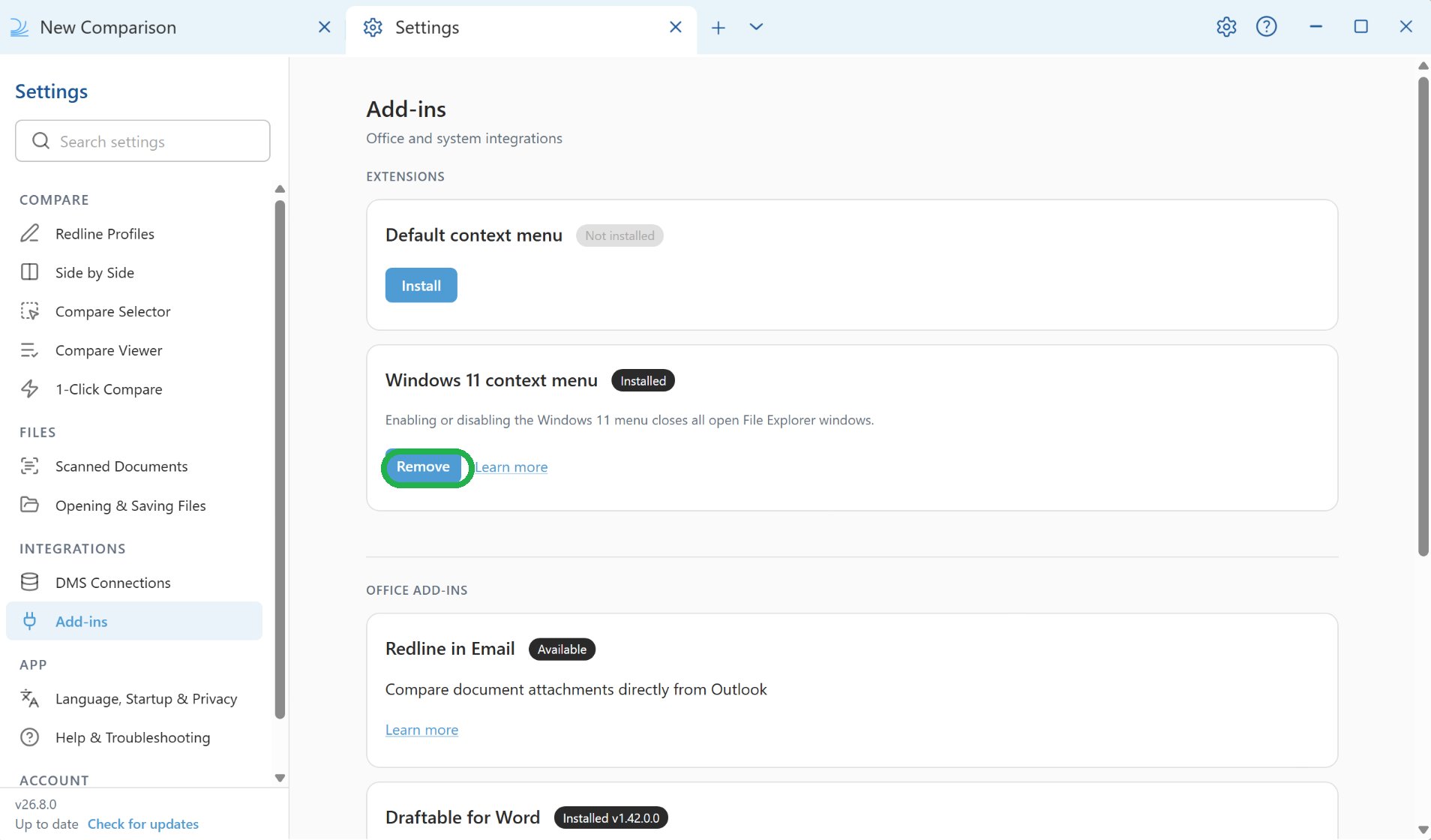
4
Compare a file from File Explorer
Right-click a supported file in File Explorer, or select two files, and choose Compare in Draftable. To instantly compare a file against its previous version, choose 1-Click in Draftable.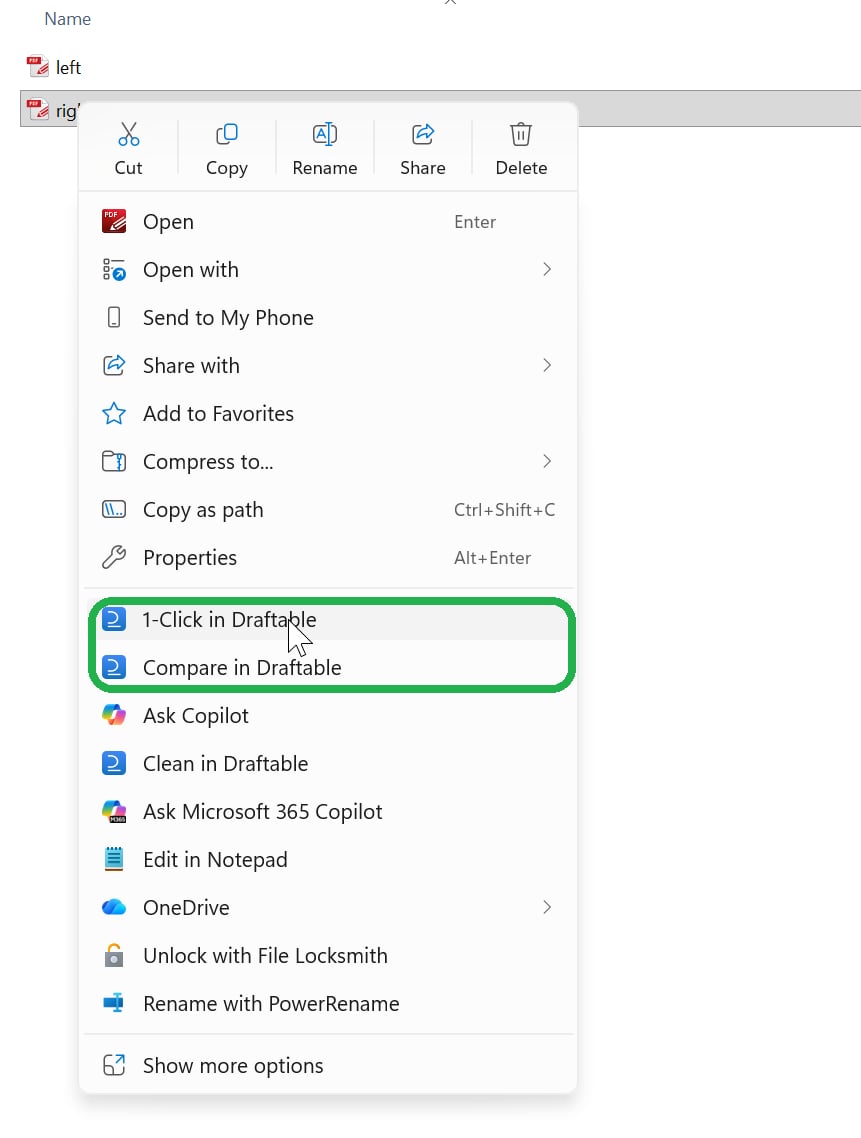
Remove the menu
To remove the commands, return to Settings > Add-ins > Extensions > Windows 11 context menu and click Remove.For IT administrators
Each user currently turns on the Windows 11 menu themselves, using the steps above. Our team is investigating a way for IT administrators to enable it across all managed machines at once, but we have not committed to delivering this. If you need more information, contact support@draftable.com.Troubleshooting
The command does not appear
The command does not appear
Enabling the menu closes all File Explorer windows. Open a new File Explorer window and try again. If it still does not appear, sign out of Windows and back in. This feature requires Windows 11.
The commands disappeared after uninstalling and reinstalling Draftable
The commands disappeared after uninstalling and reinstalling Draftable
Uninstalling a per-user installation of Draftable removes its Windows 11 menu registration. After reinstalling Draftable, you can install the menu again.Go to Settings > Add-ins > Extensions > Windows 11 context menu and click Install. If the card already shows Installed, click Remove, then click Install again.Cleanup after replacing a per-user installationAvailable from version 26.10.0When you start a machine-wide MSI installation with valid machine-wide registrations, Draftable removes leftover per-user right-click entries and
draftable:// handlers that point to a program that no longer exists.