

What is 1-Click Compare?
1-Click Compare gets you to your preferred next action in “1-Click”. Users can launch a comparison of two files and generate their chosen ‘next action’ without any further steps. For example, you can use 1-Click Compare to go straight from selecting your files to:- Creating an email with redline outputs and input files attached
- Copying input files and comparison outputs to your clipboard
- Immediately printing your preferred comparison output
- Saving your your preferred comparison output to your DMS
- Opening your Redline in Word
How to set up a default 1-Click Compare workflow via Registry or Group Policy
1
You will first need to allow the export option to be shown on your own version of Draftable Legal. You can do this via updating the Registry key changes or by Group Policy.By updating the registry key under HKEY_CURRENT_USER\Software\Draftable\Feature by creating the following DWord 32 bit key 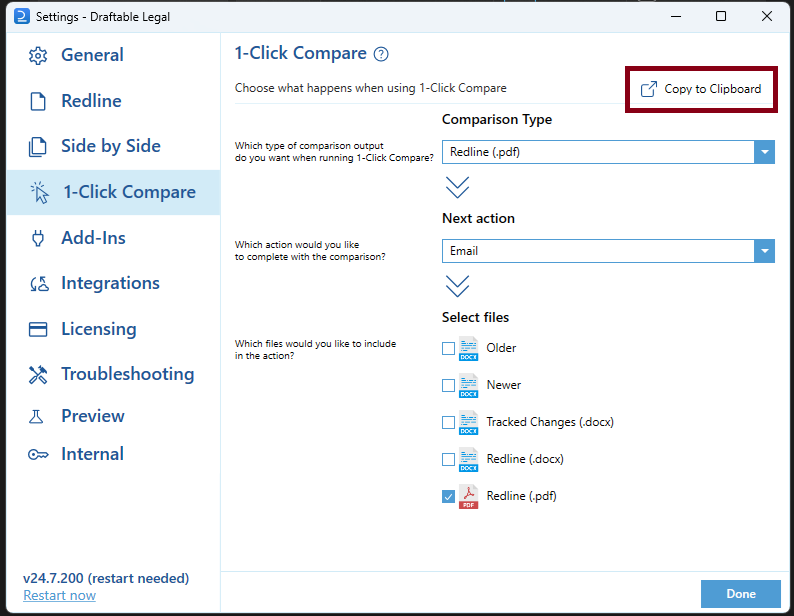
OneClickExportOptionsEnabledwith a value from 1Or by enabling the Enable to show 1-Click export options in Group PolicyTo confirm this has worked, open Draftable, go to the settings and select the 1-Click Compare tab, in the menu you should now see a ‘Copy to Clipboard’ option in the top left corner (see below)2
Once the export option is available, set up your preferred default workflow for 1-Click Compares in your organization via the settings UI on screen.
3
Once it is set up, click ‘Copy to Clipboard’
4
Now you can paste the default workflow into either the registry key AdminOneClickCompareSuggestion or in Group Policy 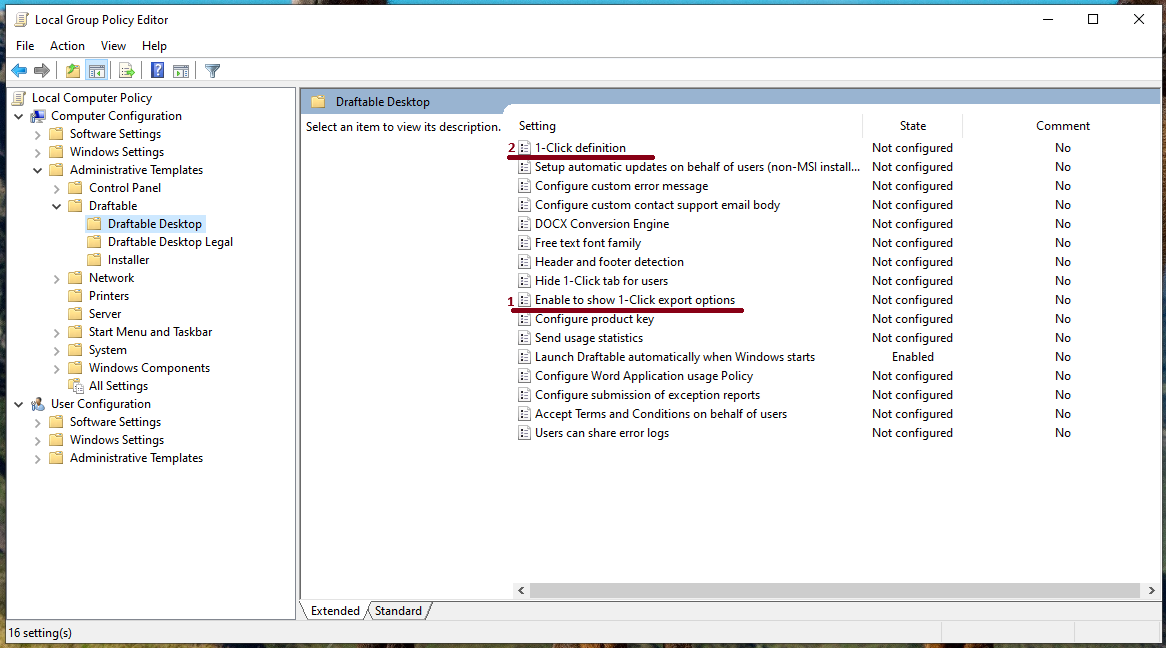
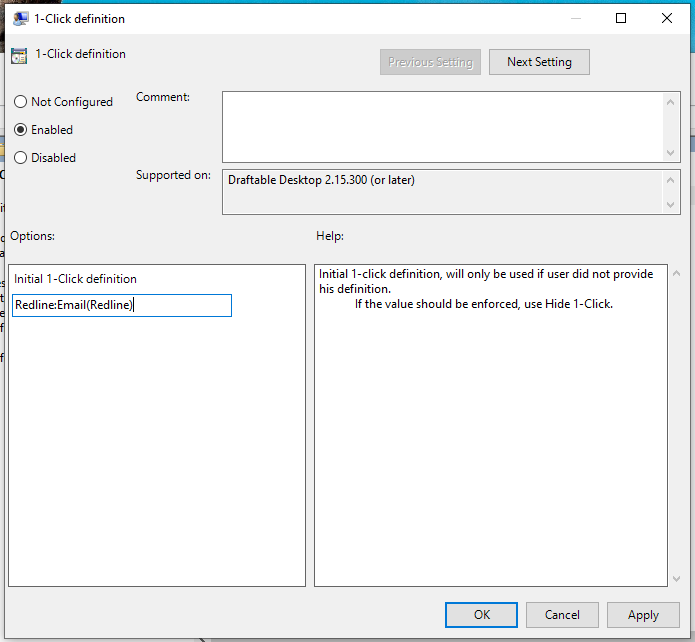
1-Click definition (pictured below in two screenshots)5
Your 1-Click Default will now be set up for all users. Users will be able to override this 1-Click Compare default workflow unless you remove the settings menu section (see below for details)
How to remove the option for end users to override your default 1-Click Compare workflow
- You can remove the 1-Click Compare settings tab by updating the registry key HideOneClickTab from 0 to 1
- Alternatively, you can use Group Policy to remove the 1-Click Compare settings tab by enabling the Hide 1-Click tab for users option