

How it works
When a user exports a comparison output using the Email option in Draftable Legal, an Outlook email is generated with the selected outputs attached. By default, the email body and subject line are blank (aside from any outputs the user chooses to embed in the body). With this configuration, you can set:- A custom email body — default text that appears in the email body. If the user also chooses to include export outputs in the email body, those outputs will be appended to your custom text.
- A custom email subject — default text that appears in the email subject line.
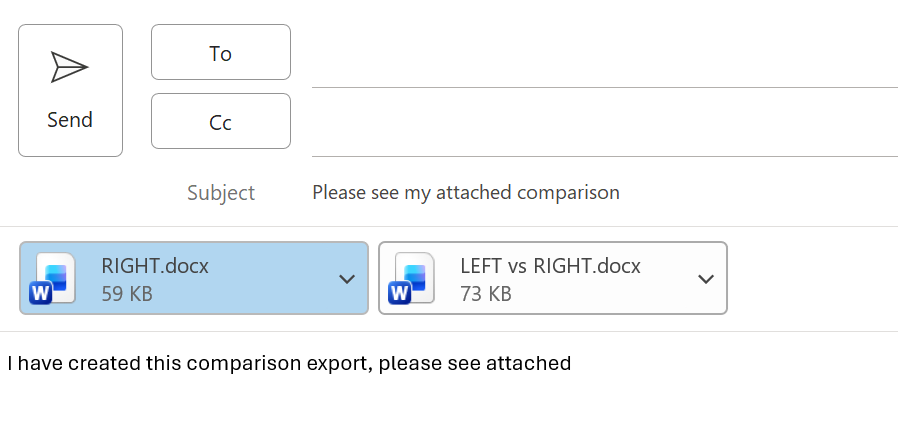
The email export workflow is not supported for users using ‘New’ Outlook. For more details on emailing comparison outputs, see Emailing comparison outputs.
Configuring via Group Policy
Ensure you are using the latest Group Policy template files, which can be found here.Configure custom email body for exports
This Group Policy object sets the default email body used when users export via the Email option. Policy Location: User Configuration > Administrative Templates > Draftable > Draftable Desktop Object Name: Configure custom email body for exports Description: Set the default email body used when users export via the Email option. If users choose to include any export outputs in the email body, those outputs will be appended to the email.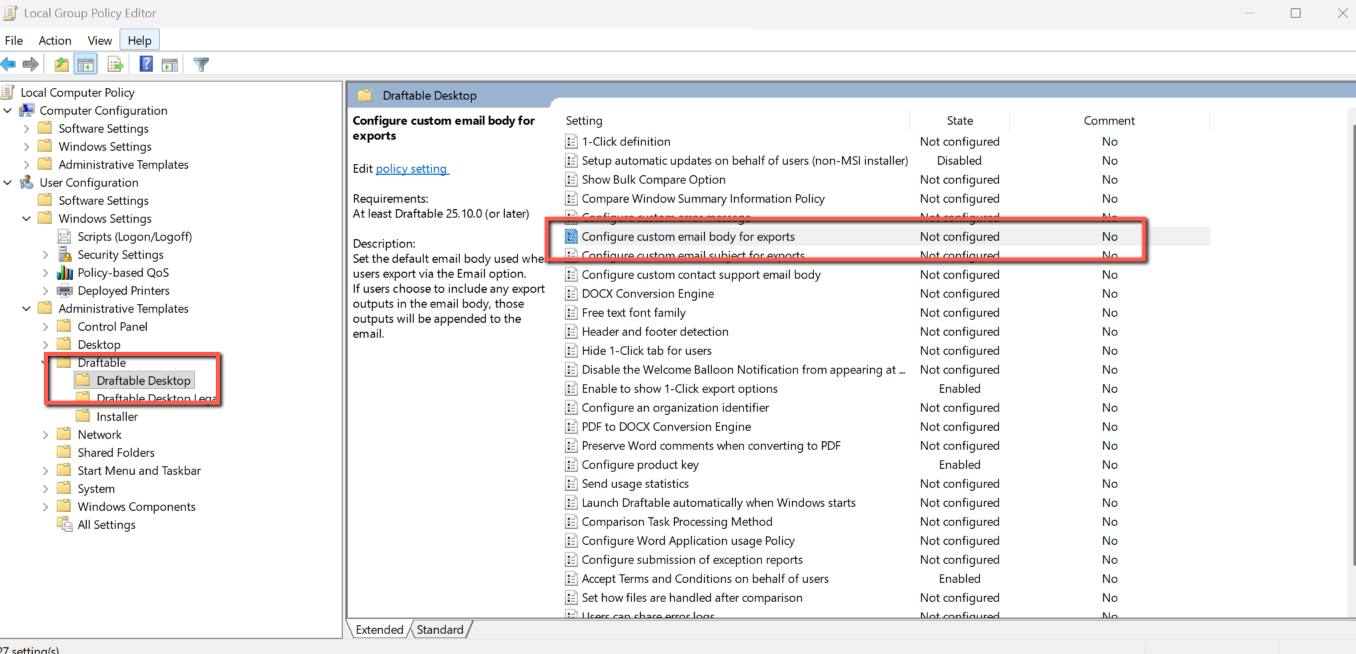
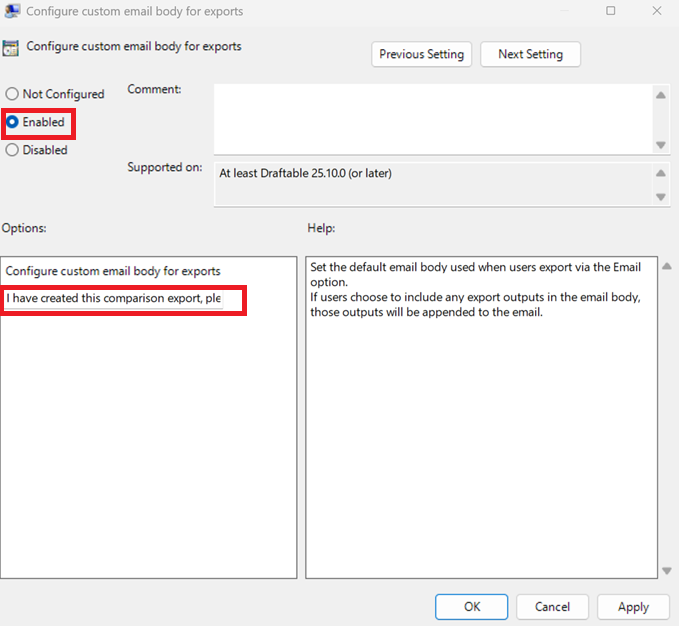
Configure custom email subject for exports
This Group Policy object sets the default email subject line used when users export via the Email option. Policy Location: User Configuration > Administrative Templates > Draftable > Draftable Desktop Object Name: Configure custom email subject for exports Description: Set a custom email subject that will be shown when the user exports using the email option.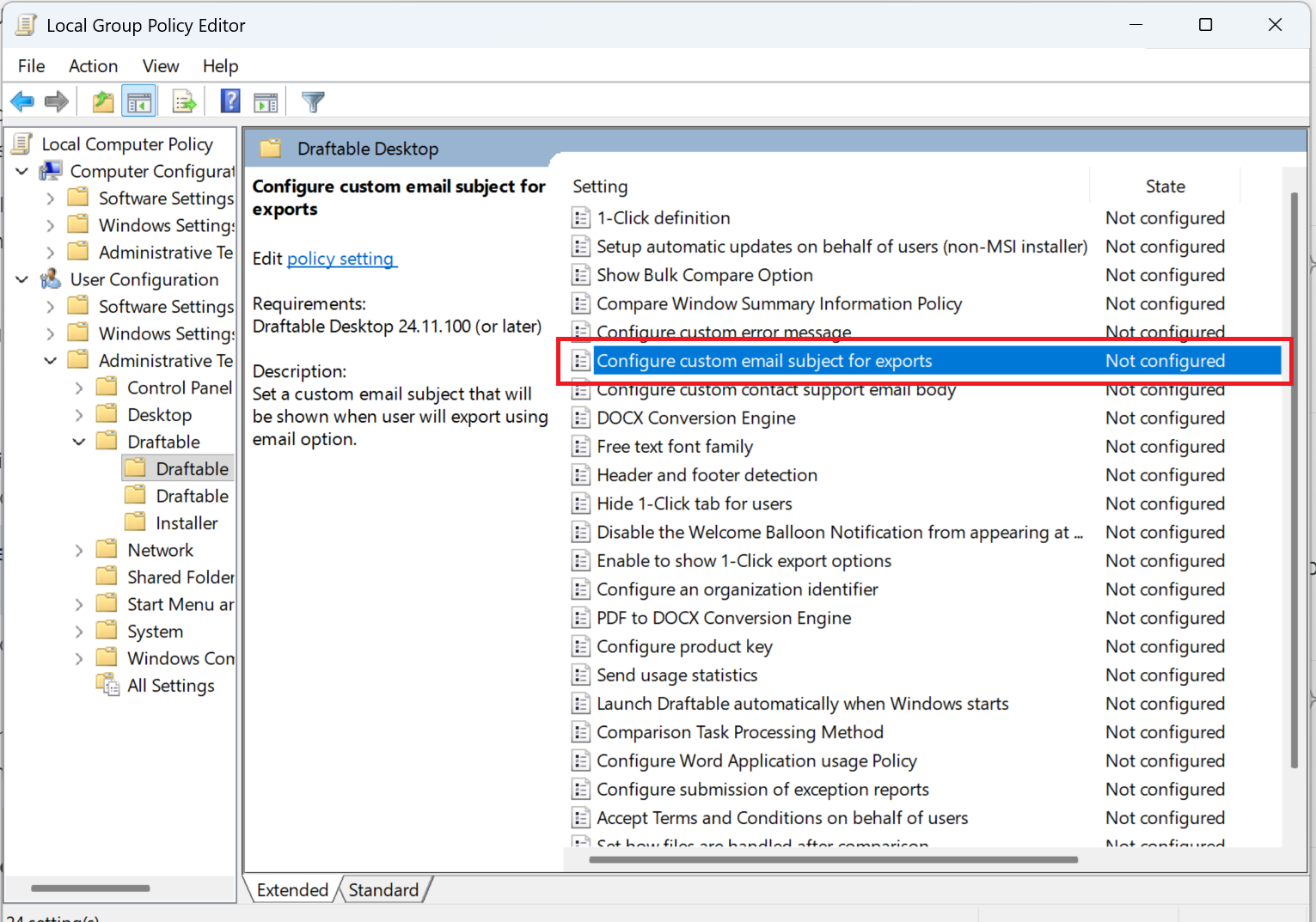
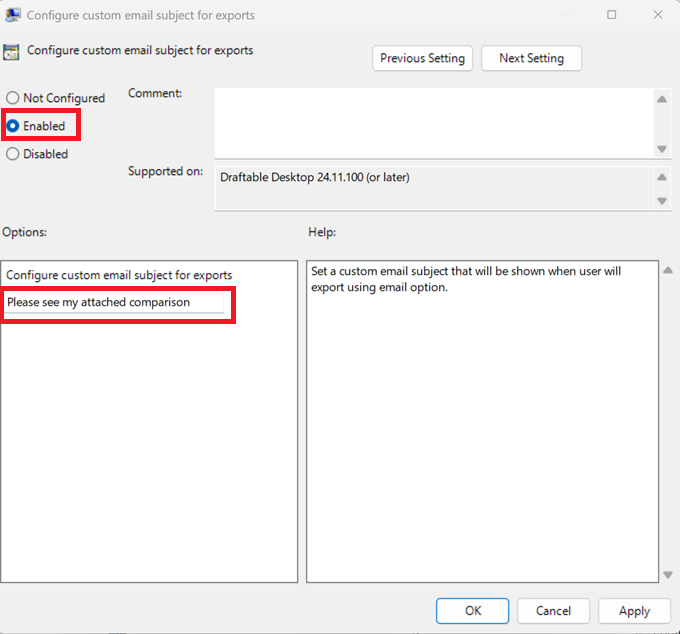
The email body setting requires Draftable Desktop 2.15.200 or later. The email subject setting requires Draftable Desktop 24.11.100 or later.
Configuring via registry
You can also configure these settings directly via registry keys. All keys should be created underHKCU:\Software\Policies\Draftable\Feature and should be of type REG_SZ.
Custom email body for exports
Set the default email body text used when users export via the Email option. If users choose to include export outputs in the email body, those outputs will be appended to this text.<body>, enter the desired default email body text.
Custom email subject for exports
Set the default email subject line used when users export via the Email option.<subject>, enter the desired default email subject text.
Restart Draftable Legal after applying registry changes for them to take effect.